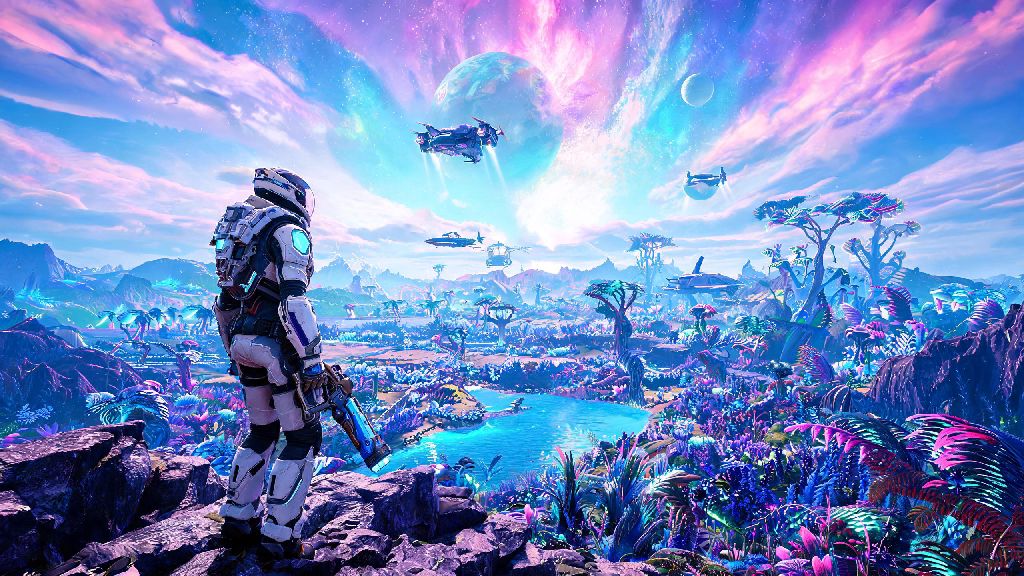
If you’ve ever found yourself squinting at a distant alien ruin or struggling to line up a perfect mining laser shot from third person, you’re not alone. Many new players spend hours fumbling with default controls before they figure out how to switch to first person in No Man's Sky, and the difference it makes to immersion and gameplay is night and day. Whether you prefer the wide field of view of third person for base building or the up-close detail of first person for exploring alien biomes, being able to swap between the two quickly will make every session feel more tailored to you.
How to Switch to First Person in No Man’s Sky for All Platforms
The process for swapping camera modes is simple once you know which button to press, though it varies slightly by device. On PC, the default key for camera swap is the "V" key, and pressing it once will toggle you straight from third to first person immediately. For PlayStation 4 and 5 players, you’ll press down on the D-pad to pull up the quick menu, then select the camera toggle icon from the row of quick options. Xbox players follow the same D-pad down workflow, and Switch users can press the left arrow button on their Joy-Con D-pad to access the same quick menu toggle.
You can swap between first and third person at any time outside of scripted story sequences, with no cooldown or restriction. That means you can flip to first person to mine a rare deposit of activated indium, then swap right back to third person to check if a curious predator is creeping up behind you. If you’ve remapped your controls for comfort, you can find the exact camera toggle binding in your control settings menu, or even remap it to a more accessible button if you swap modes often. Now that you know the basic controls for how to switch to first person in No Man's Sky on your device of choice, you can test it out right away the next time you load up a save.
Key Benefits of Using First Person Mode in No Man’s Sky
Most players start in third person by default, and it works perfectly well for general gameplay, but first person has a handful of unique advantages that make it worth trying for certain playstyles. You don’t have to stick to one mode full time either — swapping between them as needed will give you the best of both worlds. Some of the biggest perks of using first person include:
- Higher immersion during exploration: Walking through bioluminescent fungal forests or navigating stormy frozen planets feels far more visceral when you see the world through your traveler’s eyes. You’ll notice small details like dust motes in the air or dew on alien grass that you’d never spot from third person.
- More precise controls: Mining rare minerals, lining up shots against sentinels, and placing small base parts all get easier when you don’t have a third-person camera offset skewing your aim. Many players report cutting their mining time by almost 20% when they switch to first person for resource runs.
- Improved screenshot quality: First person shots of alien sunsets or unique creature encounters feel far more personal and dynamic than pulled-back third person captures. You don’t have to worry about your own character model blocking the perfect shot of a giant space leviathan passing overhead.
- Better performance on lower-end hardware: Because the game doesn’t have to render your traveler’s character model at all times, first person can give you a small but noticeable FPS boost on older PCs or base-model consoles. This is especially helpful if you’re playing with high texture settings or a lot of base parts loaded in one area.
That said, first person isn’t perfect for every situation. You’ll probably want to swap back to third person for large-scale base building, when you need to see how your character is positioned relative to large structures, or when you’re fighting swarms of flying sentinels that can approach from behind your field of view. There’s no right or wrong choice here — it all comes down to what feels most comfortable for you in the moment.
Customizing First Person Settings for Better Gameplay
Swapping to first person is only the first step. The default first person settings work for many players, but there are a handful of small tweaks you can make to reduce motion sickness, improve visibility, and make the whole experience feel far more natural. Most of these settings live in the Gameplay tab of your settings menu, and you can adjust them at any time without restarting your save.
If you’re someone who tests out different camera setups across multiple open world games to find what feels best, you might already be familiar with resources that break down optimal control and camera settings for popular titles. Many players use AAGAME to look up recommended first person settings for other open world survival games, and the same core rules apply to No Man’s Sky: lower head bob if you get motion sick, bump FOV to between 90 and 110 for wider visibility, and turn off camera shake during combat if you find it distracting.
Don’t forget to save your settings after making changes, especially if you play across multiple devices with cross-save enabled. If you swap between PC and console often, you’ll have to adjust these settings separately on each device, as control and camera settings don’t sync across cross-save files. You can also adjust the first person view height if you find the default camera position too low or too high, which is especially helpful for players who use VR headsets with the game.
Common First Person Mode Issues and Fixes
For the most part, first person mode works seamlessly, but there are a handful of small glitches and annoyances that players run into occasionally. Most of these have simple fixes that take less than a minute to implement, so you don’t have to abandon first person entirely if you run into a problem.
The most common complaint is motion sickness, which affects roughly 10% of players when they first try first person mode in No Man’s Sky. If you feel dizzy or nauseous after a few minutes in first person, try turning off head bobbing and motion blur first, then bump your FOV up by 5-10 points. Most players find that these three changes eliminate motion sickness entirely within a couple of sessions. Another common issue is camera clipping, where your camera will phase through walls or large objects when you stand too close to them. This is usually fixed by stepping back a few inches from the object, or adjusting the first person camera offset slider in your settings menu.
If your camera swap button stops working mid-session, a quick restart of the game almost always fixes the issue, as it’s usually caused by a minor control mapping glitch after a cross-save sync. You can also check your control settings to make sure the toggle hasn’t been unbound by accident after a game update, though that’s a very rare issue. If you play multiplayer, don’t worry about your camera mode affecting other players — first person only changes your personal view, so your friends will still see your character moving and interacting normally no matter what mode you use.
Swapping between camera modes is one of the simplest quality of life changes you can make to your No Man’s Sky experience, and it’s well worth taking 30 seconds to adjust the controls and settings to fit your preferences. Now that you know how to switch to first person in No Man's Sky, you can bounce between modes as needed, whether you’re building a massive base in third person or exploring an uncharted planet’s deepest caves up close in first person. Don’t be afraid to tweak settings as you go, too — the best setup is the one that makes your time in the galaxy feel fun and immersive for you.