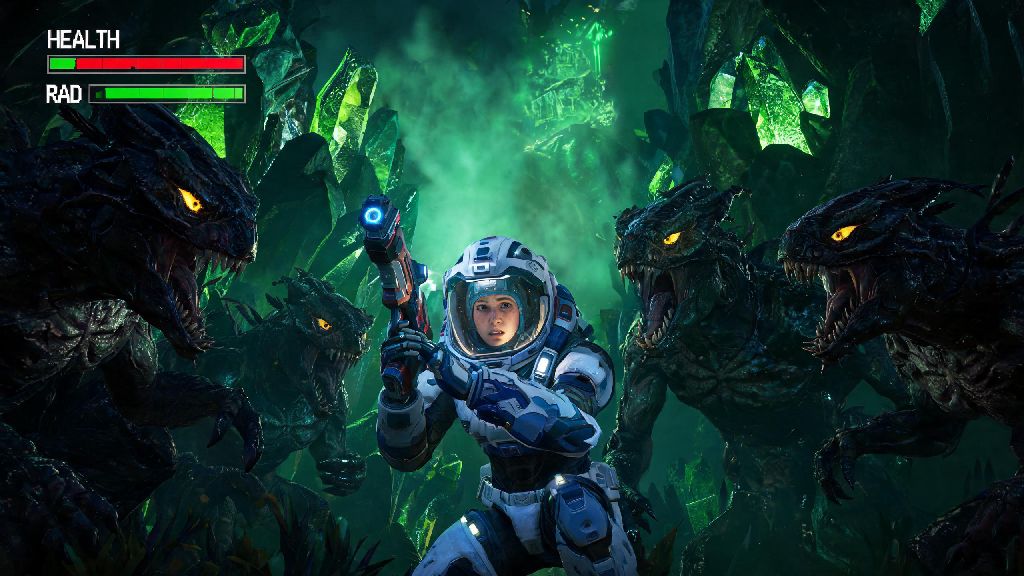
There’s nothing more frustrating than landing on a perfectly vibrant, bioluminescent No Man’s Sky planet, finally unlocking that rare character armor you’ve been grinding for, and realizing you can only see the tip of your multitool in first person view. You might want to snap a screenshot of your new fit next to your custom painted ship, or spot a hidden Sentinel patrol creeping up behind you without spinning in circles. That’s exactly when you need to know how to go into 3rd person in No Man’s Sky. I’ve been playing NMS across PC and console since the 2018 Next update, so I’ve tested every camera toggle method for every gameplay scenario, no hoops required. This guide covers vanilla controls for all platforms, common fixes for camera issues, and even a few mod tweaks if you want to upgrade your third person experience further.
How to Go Into 3rd Person in No Man’s Sky For All Gameplay Modes
The toggle for third person mode works across every gameplay context, from on-foot exploration to flying your freighter across the galaxy, though the exact controls vary slightly by platform. You don’t need to unlock any upgrades or complete story missions to access it; it’s available to new players from the minute you boot up your first save file.
The default PC key to toggle third person mode is “V”, but you can rebind this to any key or mouse button in the Controls settings menu if the default doesn’t fit your playstyle. Tapping V once will switch you between first and third person, no extra menus required, whether you’re running across a planet, piloting a ship, or driving an exocraft.
For PlayStation and Xbox console users, hold down the down button on your D-pad to pull up the quick access radial menu, then select the camera icon on the left side of the menu. You can toggle back to first person any time by repeating the same steps. Nintendo Switch users follow the same console process, holding down the down button on their left Joy-Con D-pad to access the camera toggle.
You can adjust third person camera offset and distance in the Gameplay settings menu to fix awkward angles or prevent the camera from getting too close to your character. I usually set my camera distance to 70% when I’m exploring on foot, and crank it up to 90% when I’m flying a small fighter ship to get a better view of my surroundings.
Key Benefits of Using Third Person Mode in No Man’s Sky
Most new players stick to first person mode by default, but switching to third person can make almost every part of the game smoother and more enjoyable, depending on what you’re doing. I switch between first and third person constantly depending on the task, and I know dozens of veteran players who use third person exclusively for all gameplay.
- Capture cinematic screenshots and gameplay clips of your character, custom base, or the stunning procedurally generated worlds around you, no photo mode required for quick snaps
- Spot Sentinels, hostile fauna, and hidden resource deposits that fall outside of your narrow first person field of view, cutting down on surprise attacks and missed rare materials
- Navigate tight spaces in exocraft or small fighter ships without accidentally ramming into terrain, base walls, or space station docking bays
- Show off custom character skins, ship decals, and exocraft paint jobs you’ve unlocked from the Quicksilver store or earned through community events
Third person is also a game-changer for base building, since it lets you see how your decorations and structures fit with the surrounding landscape without having to step back every few seconds to adjust your view. Third person mode also reduces motion sickness for many players who struggle with the fast first person camera movement when jetpacking up steep hills or flying low over uneven planet terrain. I have a friend who can only play NMS in third person because first person gives them headaches after 20 minutes of play, so it’s not just a cosmetic tweak for a lot of users.
Common Third Person Mode Issues and How to Fix Them
Vanilla third person mode works perfectly for most players most of the time, but there are a few common glitches and annoyances you might run into, especially after a major game update. These fixes are all simple to implement, and none of them require you to delete your save or reinstall the game.
The most common issue is camera clipping, where the camera will sink through walls, terrain, or your ship when you’re in tight spaces. This usually happens when you have your camera distance set too high, so the first fix is to lower your camera distance slightly in the Gameplay settings. If you’re inside a small cave or narrow base corridor, you can also just toggle back to first person temporarily until you’re in a more open space.
Older console players sometimes report slight input lag when moving or aiming in third person mode. This is almost always tied to high graphics settings that your console can’t handle smoothly. Try lowering your field of view by 10-15% and turning off motion blur in the Graphics settings to fix this right away. If you’re playing on a PS4 or original Xbox One, you might also want to turn off the 60fps target to get more consistent performance in third person.
If your third person toggle stops working entirely, it’s usually because you’re in a context where the mode is disabled, like during a story cutscene, when you’re interacting with a trade terminal, or when you’re piloting a freighter’s interior turret. If the toggle is still unresponsive outside of these contexts, check your control bindings to make sure the key or D-pad input hasn’t been reset after an update. If your third person toggle stops working after a game update, disable any custom camera mods first to rule out conflicts before you mess with your base game settings.
Mods to Enhance Your Third Person Experience in No Man’s Sky
Vanilla third person mode is perfectly functional for most players, but if you want more control over your camera angle, movement, or visuals, there are dozens of PC-only mods that can upgrade your experience. Just make sure you only use mods that are compatible with the current version of the game, since outdated mods can cause crashes or corrupt your save files.
The most popular third person mod is the Improved Camera mod, which lets you adjust camera height, FOV, and zoom levels separately for on-foot, ship, and exocraft gameplay. It also removes the annoying auto-zoom feature that kicks in when you get close to walls, so you never have to deal with unexpected camera shifts mid-combat.
If you’re someone who records a lot of gameplay clips or screenshots, the Cinematic Third Person mod is a great pick. It adds smooth camera lag and dynamic zoom when you’re running, jetpacking, or flying, so your clips look like they were shot with a professional camera instead of a static game camera. You can adjust the smoothness level to your preference, from subtle movement to dramatic cinematic sweeps.
For players who prefer to fight in third person, the Third Person Combat Overhaul mod fixes the slightly off crosshair placement and hit detection that makes vanilla third person combat less accurate than first person. With this mod installed, you’ll get the same hit accuracy and aim assist in third person as you do in first, so you don’t have to toggle back to first every time you run into a Sentinel walker.
Only download mods from trusted, verified sources to avoid corrupting your save files or installing malware, and always back up your save files before installing any new mods, no matter how reputable the source is. Console players can’t access these mods, but the vanilla third person mode is still robust enough to cover almost all use cases without extra tweaks.
At the end of the day, whether you’re a casual player who just wants to take pretty screenshots of your travels or a veteran explorer who needs better situational awareness during high-level Sentinel fights, knowing how to go into 3rd person in No Man's Sky is a simple quality of life tweak that will make your time with the game far more enjoyable. I’ve had my toggle bound to a side mouse button for years, so I can switch between first and third person in half a second when I swap between mining resources and fighting pirates. Take a few minutes to test different camera settings and distances to find what works best for your playstyle, and don’t be afraid to mess around with mods if you’re on PC and want to customize the experience even more.