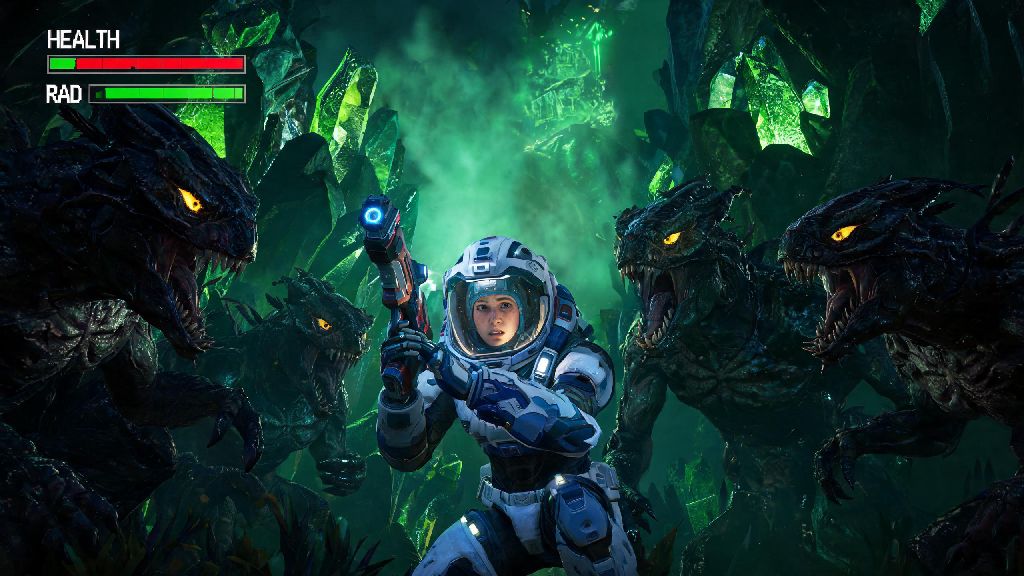
I still remember my first No Man’s Sky death vividly. I was 12 hours into my first save, deep in a radioactive cave hunting for storm crystals, when a pack of aggressive predatory fauna snuck up behind me and took my health bar down before I could even pull out my multitool. I sat staring at the respawn screen for a full minute panicking, wondering what happens if you die in No Man's Sky, if all my hours of grinding were gone for good. If you’re in that same position right now, or just want to prepare for the inevitable, we’ve broken down every penalty, recovery step, and trick to minimize loss no matter what mode you play.
What Happens If You Die in No Man's Sky: Core Penalties by Game Mode
The exact consequences of death change drastically depending on which game mode you’re playing, so it’s important to know the rules for your specific save before you head into high-risk areas. We’ve tested every mode to confirm the latest penalties after all recent game updates, so you don’t have to learn these the hard way like I did.
Normal mode is the most forgiving option for new players. When you die, you’ll lose a small portion of your earned units (usually less than 10% of your current total), and all items in your personal inventory (both cargo and installed tech upgrades) will be stored in a temporary grave marker at your death location. The grave stays in the system permanently, so you can take as long as you need to come back and collect it, as long as you don’t leave the star system first. You’ll respawn at the nearest space station, or next to your ship if it’s in a safe location when you die.
Survival mode adds much harsher penalties to make exploration feel more high-stakes. You’ll lose 25% of your total units on death, and your grave marker will only remain active for 15 minutes of in-system play time. If you don’t reach it within that window, or if you warp to another star system before collecting it, all your lost items are gone forever. You’ll also respawn with only half your life support and hazard protection bars full, so you’ll need to restock supplies before you can go back for your stuff.
Permadeath mode is the most extreme option, as the name suggests. If you die once in permadeath mode, your entire save file is deleted permanently, with no option to recover it. The only exception is if you quit the game immediately after the death screen pops up, before the save completes, but that’s a glitch that may get patched out eventually, so don’t rely on it. Permadeath runs are designed to feel high-risk, so only pick this mode if you’re comfortable with the possibility of losing all your progress.
Creative mode has zero death penalties at all. You’ll respawn exactly where you died with all your items, units, and upgrades intact, no matter how many times you get killed by enemies, storms, or fall damage. It’s the perfect mode for players who just want to build and explore without worrying about survival mechanics.
Step-by-Step Guide to Recover Your Inventory After Death
If you die in normal or survival mode, you don’t have to kiss your hard-earned items goodbye if you act fast and follow these simple steps. I’ve used this exact process dozens of times to recover rare resources, expensive tech upgrades, and hundreds of thousands of units worth of trade goods after dumb, avoidable deaths.
First, when you spawn back at the space station, don’t start doing side missions or selling extra items right away. Open your galaxy map immediately, and you’ll see a custom marker pinned to the planet you died on. Take two seconds to rename that marker something obvious like “DEATH GRAVE” so you don’t mix it up with other custom waypoints later. You do not need to keep the game open while you travel back to your death planet, the timer for your grave only counts down when you are physically present in the same star system as the death location, so you can take a break if you need to.
Next, stock up on basic survival supplies before you leave the space station. Grab at least two stacks of launch fuel for your ship, a full stack of life support pellets, and extra hazard protection charges that match the environment of the planet you died on. If you died on a frozen planet, bring extra heat protection; if you died on a radioactive planet, bring extra radiation shields. The last thing you want is to die a second time on the way back to your grave because you forgot to restock.
When you land on the planet, you’ll see a small white grave icon on your HUD showing the exact location of your lost items. If the grave is in a dangerous area like a stormy valley, a cave full of hostile fauna, or a sentinel-controlled facility, summon your exocraft before you leave your ship. The exocraft is fully shielded against environmental hazards and most enemy attacks, so you can drive straight to your grave without taking damage. Interact with the grave once you reach it, and all your lost items will be automatically added back to your personal inventory.
Common Mistakes That Make Death Penalties Worse
Most of the worst death-related losses I’ve seen (and experienced myself) come from simple, avoidable mistakes that new players make because they don’t know the game’s rules. Avoid these four errors, and you’ll almost never lose more than a handful of low-value items when you die:
I made the first mistake on my very first death, warping to a new system to sell some extra resources before going back for my grave, and lost 200 storm crystals I’d spent three hours collecting to buy my first freighter. It was a devastating setback at the time, but it taught me a valuable lesson. Always prioritize recovering your grave before doing any other tasks after respawning, it will save you hours of re-grinding materials you already earned.
Another common mistake new players make is trying to fight their way back to their grave if it’s surrounded by strong sentinels or aggressive predators. You don’t get extra points for fighting enemies unnecessarily, and you’re far more likely to die a second time and lose all your stuff for good. If your grave is in a high-combat area, either sneak past enemies using your cloaking device, or wait for the sentinel alert level to drop before you approach the marker.
Pro Tips to Minimize Loss If You Die Frequently
If you’re still learning the game’s mechanics, or if you love exploring high-risk areas like abandoned freighters, corrupted planets, or sentinel pillars, you’re probably going to die a lot. These simple tips will help you cut down on losses so death only feels like a minor inconvenience, not a run-ending disaster.
Make it a habit to save your game every 15 to 20 minutes when exploring dangerous areas, it takes two seconds and can save you dozens of hours of progress. You can save manually by interacting with your ship’s save point, or by placing a portable save point anywhere on the planet surface. If you’re playing permadeath mode, this is non-negotiable—always save before entering any area you think might have strong enemies or environmental hazards.
Equip a personal shield upgrade early in your playthrough, it cuts incoming damage by 70% and reduces your chance of dying unexpectedly by a huge margin. You can buy basic shield upgrades from most space station technology vendors for less than 50,000 units, or find them in random cargo pods scattered across planets. Upgrade it to S-class as soon as you can, and it will tank almost all damage from common threats like predatory fauna and low-level sentinel attacks.
Another easy trick is to keep all your rare, high-value items in your freighter or ship storage instead of your personal inventory whenever possible. Items stored in your ship or freighter can never be lost if you die, even in survival mode, so you only risk losing the items you collected on your current exploration run. I keep all my rare crafting materials, unlocked tech blueprints, and extra units in my freighter’s storage at all times, so even if I die with a full inventory of common resources, I don’t lose anything I can’t replace in 10 minutes.
If you play multiplayer, you can ask a friend who’s in the same star system as your grave to collect it for you if you don’t have time to go back yourself. Any items they collect from your grave will be sent directly to your inventory the next time you log into the game, even if the 15-minute survival mode timer runs out before you can get back. It’s a little-known feature that has saved my inventory twice when I had to stop playing suddenly right after dying.
Death is an unavoidable part of exploring the infinite galaxy of No Man’s Sky, and it doesn’t have to be a devastating setback if you know what to expect. Once you understand what happens if you die in No Man's Sky, you can plan ahead to minimize losses, recover your items quickly, and get back to exploring without wasting hours of progress. Even if you make a mistake and lose your stuff once, it’s a learning experience that will make you a smarter, more prepared player for all your future runs across the stars.