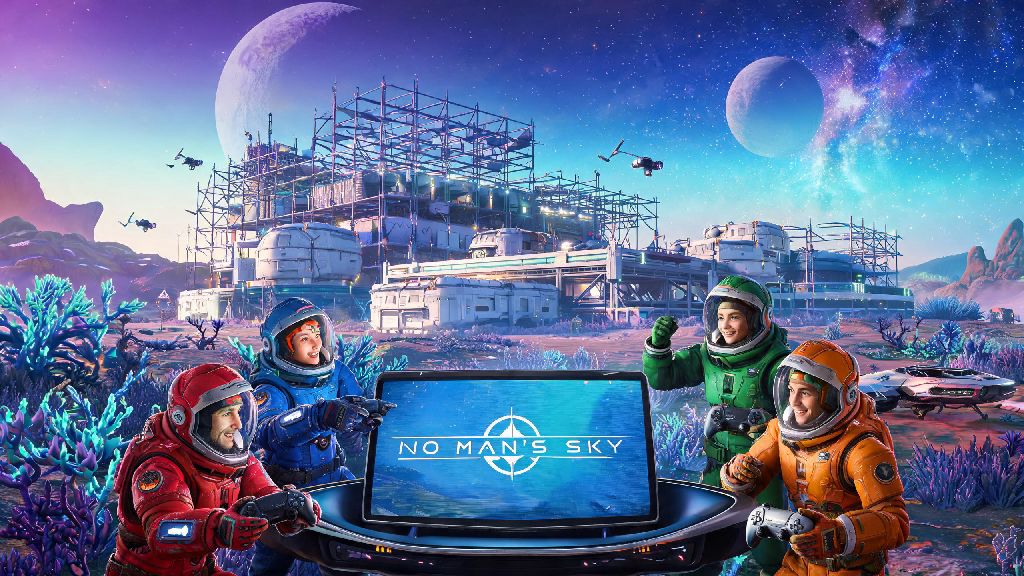
If you’ve spent hours wandering alone through No Man’s Sky’s endless, procedurally generated planets, you’ve probably wondered how to play No Man’s Sky with friends to turn those quiet exploration runs into chaotic, fun group adventures. I’ve spent hundreds of hours in co-op runs, from building shared interstellar bases to taking down sentinel fleets with a crew of 4, and I’ve sorted through all the common pitfalls that ruin most new co-op sessions. A lot of new players run into random disconnects, lost base progress, or cross-play mismatches before they even get to land on the same planet, but you don’t have to deal with that if you follow the right steps. Even if you’re a returning player who hasn’t touched the game in a couple of updates, these tips will work for every platform and game mode.
Pre-Game Setup Steps to Play No Man’s Sky With Friends Smoothly
When you play No Man’s Sky with friends for the first time, the first thing you should check is that all players have cross-play enabled in their settings, even if you’re all on the same platform. PC players don’t need any extra subscriptions to play co-op, but console players will need an active PS Plus or Xbox Live subscription to join online sessions, that’s one of the most common mistakes new players miss. Next, confirm every player is running the exact same game version, even a small hotfix update can make it impossible for players on older builds to join a lobby. Always confirm all players are on the same game build before sending invites to save yourself 20 minutes of troubleshooting later.
If you’re planning to play with modded saves, every single player in the lobby needs to have the exact same mods installed, down to the load order. Even a small cosmetic mod that only changes the color of your ship will cause crashes or corrupted saves if other players don’t have it. You should also adjust your lobby privacy settings before you start: set it to “Friends Only” to avoid random players joining your session uninvited, and turn on base sharing if you plan to build together. If you want to keep your personal bases private, you can toggle individual base sharing settings from each base computer instead of turning the feature off entirely.
How to Invite and Join Friends Across All Platforms
The easiest way to invite friends to your session is through the in-game network menu. Just open your pause menu, select the “Network” tab, find your friend from the list, and hit “Send Invite”. They’ll get a pop-up notification in their game that lets them join your session directly, no extra steps needed. If in-game invites aren’t working, you can use your platform’s native friend list to send an invite directly to the game session, this works for Steam, Epic, PlayStation, Xbox, and Switch players alike. I’ve had in-game invites fail three times in a row before when playing with a friend on Switch, and platform invites were the quick fix we needed.
If invites aren’t working at all, you can use glyph sequences to meet up on the same planet without any connection to the game’s invite system. Have the host land on the planet you want to meet on, open their analysis visor, and copy the 16-glyph sequence for the planet. Send that sequence to everyone else in the group, and they can input it at any portal to warp directly to the same location. Glyph sequences work across all platforms, even if cross-play invites fail entirely, so this is my go-to backup method for tricky connection issues. Keep in mind that when you join a friend’s session, you keep all your own inventory, progress, and unlocked upgrades, you don’t have to start over on their save.
Fun Co-Op Activities to Try With Your Group
Once you’re all on the same planet, there’s no limit to what you can do together, but there are a few activities that are way more fun with a group than they are solo. Shared base building is one of the most popular co-op activities: you can split tasks so one person gathers building resources, another designs the base layout, and a third farms rare materials for tech upgrades. You can even build a shared base on a freighter, so your mobile home moves with you across every star system you visit. Group expedition runs are another great option: seasonal expedition events have timed objectives, and you can split tasks across your group to finish them twice as fast and get all the exclusive cosmetic and gameplay rewards before the event ends.
If you’re looking for more action, you can take on high-level sentinel pillar raids or pirate fleet battles as a group. These activities are really tough to beat solo, but with a group of 3 or 4 players covering each other, you can clear them in a few minutes and get rare rewards like upgrade modules and multi-tool expansions. Before you start playing, it’s a good idea to set a few ground rules to avoid unnecessary conflict, I’ve seen too many friend groups argue over stolen resources or lost progress.
You can also turn on PvP in the network settings if you want to mess around and have friendly dogfights with each other, but it’s turned off by default so you don’t have to worry about accidentally attacking your friends while you’re fighting pirates. Most co-op conflicts happen over unspoken resource rules, so set clear expectations before you start playing together to avoid ruining the fun for anyone.
Troubleshooting Common No Man’s Sky Co-Op Issues
Even if you follow all the setup steps perfectly, you might run into a few common co-op issues, most of them have really simple fixes. If you keep getting connection timeouts when you try to join a friend’s lobby, first check that your NAT type is set to Open or Moderate, a Strict NAT almost always causes connection problems for online games. Restarting your router and your game will fix 90% of minor connection issues, so try that first before messing with any advanced settings. If you’re hosting the lobby and players keep getting kicked mid-session, try turning off background downloads on your console or PC to free up more bandwidth for the game.
If your friend can’t see your base when they join your session, just interact with your base computer and select “Upload Base” to push it to the game’s servers, it should pop up for them within a minute. If cross-play friends aren’t showing up in your in-game friend list at all, make sure you’ve linked your Hello Games account to all your platform accounts, that’s the most common fix for cross-play visibility issues. If you keep getting disconnected mid-session, have the player with the most stable internet connection host the lobby, that will cut down on random disconnects for everyone in the group.
The one issue you never want to ignore is mod mismatches. If you’re running a modded save, never join a vanilla (unmodded) session, even by accident. Never join a vanilla (unmodded) session with a modded save, as this can corrupt both your save and the host's save permanently. I had a friend lose 20 hours of modded save progress a few months ago because he joined a vanilla session by mistake, so it’s worth double checking your mod setup before you join any lobby that’s not your own.
At the end of the day, figuring out how to play No Man’s Sky with friends turns a great solo exploration game into one of the best co-op experiences you can find right now. You don’t have to deal with all the annoying bugs and glitches if you follow the setup steps we covered, and there’s no limit to the weird, fun adventures you can have together, from building a floating base on a gas giant to taking down entire pirate fleets as a crew. The best part is that you can play at your own pace, there’s no pressure to rush through content if you’d rather just wander from planet to planet and laugh at the weird alien creatures you find together. If you run into a problem we didn’t cover, drop a comment below and I’ll help you troubleshoot it.