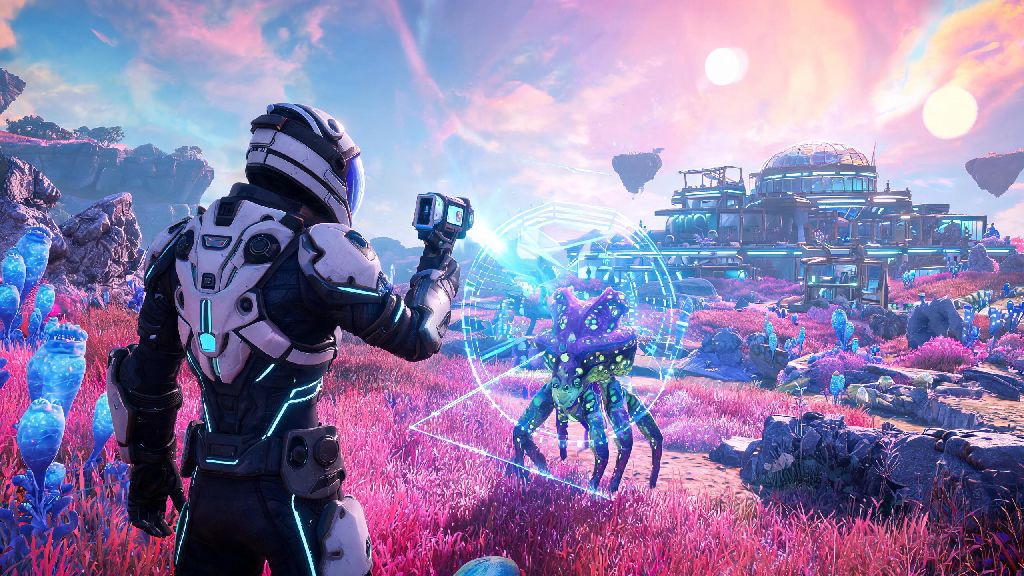
If you’ve ever found yourself squinting to see around your Exosuit’s shoulder while trying to line up a perfect scan of a rare creature or check if your newly built base looks as good from the outside as it feels inside, you’ve probably wondered how to go third person in No Man’s Sky. A lot of new players assume first person is the only default view, but Hello Games has hidden the camera toggle in a pretty intuitive spot once you know where to look. I remember spending my first 20 hours of the game stuck in first person, complaining that I couldn’t see the cool S-class ship I’d just grinded 3 hours to earn, until a random stranger I met in a space station told me about the toggle. It felt like I’d unlocked a whole new layer of the game overnight. Switching to third person doesn’t just make for better screenshots, it also gives you a huge tactical edge in everything from pirate dogfights to navigating harsh alien terrain.
How to Go Third Person in No Man’s Sky on All Platforms
The process to toggle third person is almost identical across every supported platform, with only small differences for controller vs keyboard inputs. First, note that this toggle works for every context you play in, not just on-foot exploration. This toggle works for on-foot travel, ship piloting, exocraft driving, and even freighter navigation, so you don’t have to learn separate controls for each activity.
For console players on PlayStation, Xbox, or Nintendo Switch, start by pressing down on the D-pad to pull up your quick access menu. You’ll see a row of circular icons along the bottom of the screen, including options for your inventory, photo mode, and emote wheel. Scroll to the camera-shaped icon, select it, and you’ll immediately switch to third person view. On Switch, the quick menu loads a little slower than other consoles, so give it a half second before selecting the icon to avoid accidental inputs. To switch back to first person, just follow the exact same steps.
For PC players, the default keybind for third person toggle is the V key. If you’ve rebound your controls for other functions, you can find or change the camera toggle key in the “Controls” tab of the main settings menu, under the “On Foot” or “Vehicle” sections. You don’t need to open the main menu or pause the game to toggle views, which makes it easy to switch mid-combat or mid-exploration without putting yourself at risk.
Key Benefits of Using Third Person View in No Man’s Sky
Most players stick to first person by default, but switching to third person offers a long list of quality of life and gameplay benefits that make the experience far more enjoyable for many playstyles. Some of the biggest perks include:
I used to struggle with Sentinel raids on survival mode until I started switching to third person whenever I heard alert sirens. I could always see when a drone was flanking me from behind, or when a walker was lining up a laser shot that I wouldn’t have spotted in first person. If you’re playing on survival or permadeath mode, switching to third person during high-risk activities can cut your death rate by a huge margin, since you’ll have far more information about what’s happening around you at all times. It’s also a lot more fun for multiplayer sessions, since you can see your friends running around next to you, show off your outfits, and take group photos instead of just hearing their voices.
How to Adjust Third Person Camera Settings for Better Gameplay
After you learn how to go third person in No Man’s Sky, you might find the default camera settings don’t fit your playstyle. Hello Games added a ton of customization options for third person view that most players never even find, hidden in the camera settings tab of the main menu. You don’t need mods to adjust these settings, they’re available for all players on all platforms.
The most useful adjustment is the third person camera distance slider, which lets you move the camera closer or further away from your character, ship, or vehicle. If you’re using third person for combat, you’ll probably want a slightly closer camera so you can aim more accurately with your multitool or ship weapons. If you’re exploring or building bases, a further camera gives you a wider field of view to take in the landscape or check your base layout from all angles.
You can also adjust the camera follow speed, toggle off automatic camera centering, and turn off camera shake entirely if you get motion sickness when moving quickly. For controller players, there are separate sensitivity sliders for third person view, so you can make panning the camera slower and smoother without changing your first person aim sensitivity. All adjustments apply in real time, so you can test them out while you’re in the menu without having to back out and reload every time you make a change.
When to Switch Back to First Person View
Third person is great for a lot of activities, but it’s not the best choice for every situation. It’s always worth keeping the toggle handy so you can switch back to first person whenever it makes sense for what you’re doing. For precision tasks like mining specific small resource veins or scanning for tiny hidden flora, first person is far more accurate, since you don’t have to account for the camera offset that comes with third person view.
First person also feels a lot more immersive for story moments, like talking to NPCs, interacting with the Atlas, or making key choices that affect the main plot. I always switch back to first person when I’m exploring tight cave systems too, since the third person camera can clip through walls and make it hard to judge distances in narrow, winding spaces. Some players also experience less motion sickness in first person when flying through dense asteroid fields or planetary storms, since the view stays centered on your path instead of swinging around behind your ship.
At the end of the day, learning how to go third person in No Man’s Sky is one of those small quality of life changes that makes the entire game feel more tailored to your playstyle. You don’t have to stick to one view for every activity, either; toggling back and forth takes less than a second once you memorize the controls. Next time you’re heading out on a long exploration run or gearing up for a Sentinel walker fight, give third person a try, you might be surprised how much it changes how you interact with the game’s vast, procedurally generated universe. Even if you’re a long-time first person only player, experimenting with the adjusted camera settings can open up whole new ways to enjoy the game you already love.