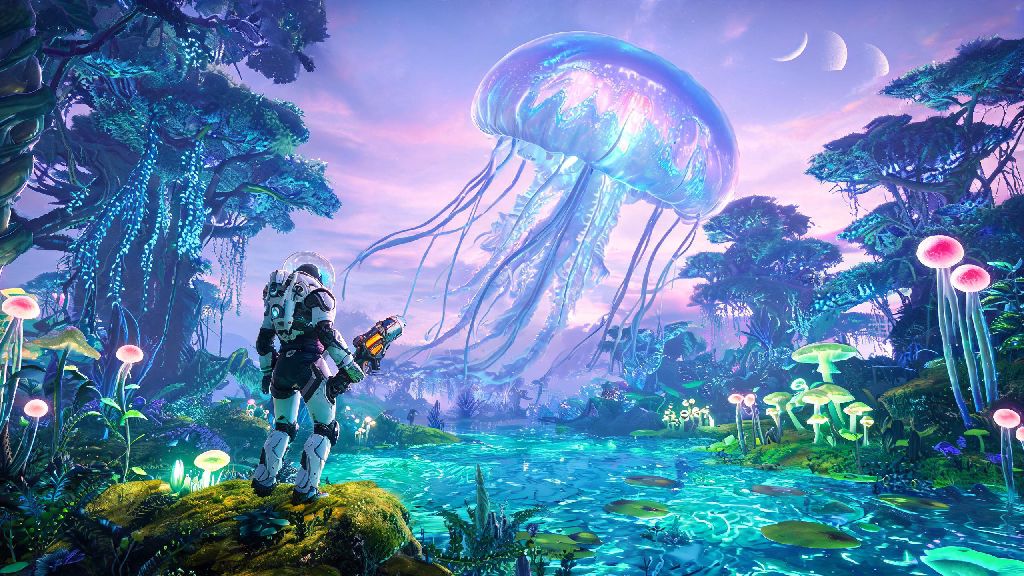
You’re skimming over a bioluminescent alien swamp at 200 knots, and you just spotted a 100-foot floating jellyfish creature gliding next to your ship. Or you’re halfway through building a multi-level base perched on a cliff edge, and you can’t tell if the new landing pad lines up with the entry ramp from first person view. That’s when knowing how to go 3rd person in No Man’s Sky completely changes how you experience the game. A lot of new players miss this setting because it’s not front and center on the main HUD, but it’s been a native feature for years, with tons of optional tweaks to make it fit your playstyle perfectly.
How to Switch to 3rd Person in Vanilla No Man's Sky (All Platforms)
You don’t need any extra files or workarounds to use third person mode on console, PC, or cloud gaming versions of the game. The process is slightly different depending on whether you use a controller or keyboard and mouse, but both take less than 10 seconds to do. Each activity type (on foot, ship, exocraft, mech) has its own independent camera setting, so you can use first person for on-foot combat and third person for flying, if that’s what you prefer.
For controller users, hold down the down button on your D-pad for two seconds to pull up the quick camera toggle menu. You’ll see four options for third person and first person views, depending on what you’re currently doing. Just select the third person option for your current activity, and the camera will switch instantly. For keyboard and mouse users, the default toggle key is V. If you’ve rebound your keys and that doesn’t work, you can find the “Camera Cycle” bind in the Controls menu, under the On Foot, Ship, or Exocraft tabs depending on what you’re using.
You don't need to restart your game or install any extra files to use vanilla third person mode – it’s been a standard feature since the 2018 Next update, so every current supported version of the game works with it. You can switch back and forth between first and third person at any time, even mid-flight or in the middle of a combat encounter with sentinels.
Top Tweaks to Improve Your 3rd Person No Man's Sky Experience
The default third person settings work fine for casual play, but there are a few small adjustments you can make to get way more out of the mode, whether you’re exploring, building, or taking screenshots. Most of these are hidden in the Display and Gameplay menus, so a lot of players never find them on their own. I’ve tested all of these over 300+ hours of playtime, and they make third person feel way more natural to use long-term.
Turning off camera collision is one of the most underrated quality of life tweaks for third person players, especially if you spend a lot of time building tight, multi-level bases or exploring narrow cave systems. You won’t have to fight the camera constantly to see what you’re working on, and you’ll be able to get full views of your builds without zooming out manually every two seconds. If you take a lot of screenshots, you can also use photo mode to adjust the camera even further, zoom out further than the default third person limit, and turn off the HUD for clean, unobstructed shots.
Modded Options for Custom 3rd Person Camera Controls (PC Only)
If you play on PC and want more control over your third person camera than the vanilla settings offer, there are a handful of well-supported mods that add tons of extra features. These are completely optional, and you don’t need them to enjoy third person mode, but they’re great for players who want to fine-tune their experience to exact preferences. Just make sure you only use these mods in single player or on community servers that explicitly allow modded clients, because some official multiplayer servers restrict gameplay-altering mods to prevent cheating.
The most popular mod for this is the Better Third Person mod, which lets you adjust camera offset, maximum zoom limit, and even toggle a hybrid over-the-shoulder mode that blends the wider view of third person with the precision of first person for combat. There’s also the Camera Freeze mod, which lets you lock your third person camera in place so you can film gameplay clips or take pan shots of your base without moving the camera accidentally when you nudge your mouse or controller.
Always back up your save files before installing any No Man's Sky mods, even small camera tweaks, to avoid losing progress if a mod conflicts with a new game update. Hello Games releases regular patches for the game, and most mods break temporarily right after a new update drops, so you’ll want to have a clean save to fall back on if something goes wrong. Most modded camera settings only apply to your local view, so other players in multiplayer won’t see any changes to your character or camera when you join their lobby.
Common Third Person Mode Issues and How to Fix Them
Third person mode is usually pretty reliable, but there are a few common glitches and issues that players run into, especially after game updates or if they use mods. Most of these are easy to fix in less than a minute, no technical knowledge required. I’ve run into all of these myself at one point or another, so these fixes are all tested and work for both vanilla and modded setups.
If your camera is stuck in first person and won’t toggle, this usually happens if you rebound the camera toggle key by accident, or if a mod conflict breaks the vanilla toggle. Fix it by going to the Controls menu and resetting the Camera Cycle bind to default, or uninstalling any recently added camera mods to see if that resolves the issue. If your third person camera is too zoomed in or clips through your character or objects, adjust the camera offset in the Display settings, or turn off camera collision if it’s zooming in automatically near walls or terrain.
If third person mode won’t work in multiplayer, some private servers disable custom camera settings to prevent cheating, so check the server rules before you join. Vanilla third person mode is allowed on almost all official servers, though, so you won’t have to worry about that if you’re playing on Hello Games’ official lobbies. If your camera breaks right after a game update, wait a few days for mod developers to push compatibility updates before you try to reinstall or tweak files, as most mods break temporarily when a new patch comes out. If you’re playing on console, you won’t have mod conflicts, so any camera issues are almost always fixed by resetting your control settings to default.
Whether you’re here to get better screenshots of your custom explorer, make base building less of a headache, or just get a better view of the game’s stunning alien worlds, knowing how to go 3rd person in No Man's Sky is a small tweak that makes a huge difference to your playtime. I’ve been playing the game since launch, and I almost exclusively use third person for all my exploration and building runs now – it lets me appreciate all the tiny details the devs put into the game, from the custom paint job on my ship to the weird little bioluminescent creatures that wander past my base. Don’t be afraid to play around with the settings and mods until you find a camera setup that feels right for you.