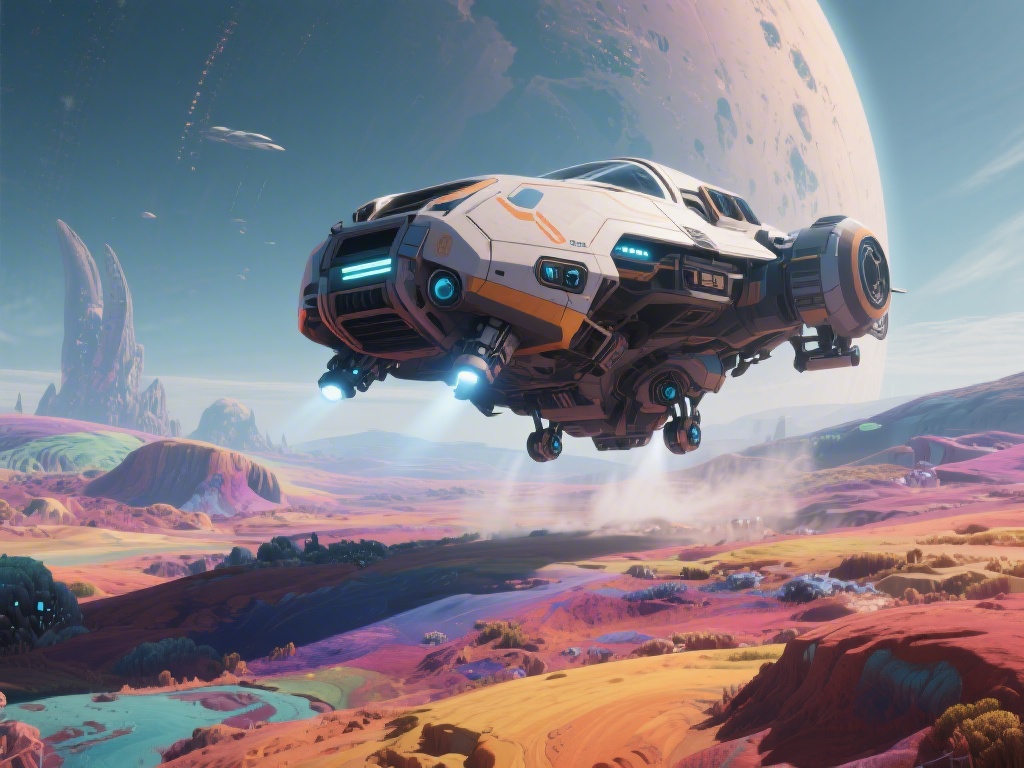
If you’ve ever crashed your shiny new S-class fighter into a hidden mountain spire while chasing a stray trading convoy, you know how limiting first-person flight can be in No Man’s Sky. Your cockpit glass only gives you a tiny slice of the world around you, and it’s far too easy to miss floating rock formations, hidden landing pads, or incoming pirate fire when you’re focused on what’s directly in front of you. That’s why learning how to fly 3rd person in No Man’s Sky is one of the simplest, highest-impact changes you can make to your gameplay. It works for every ship type from tiny snub fighters to massive capital freighters, and we’re breaking down everything you need to know, from vanilla controls to custom camera tweaks, in this guide.
How to Toggle 3rd Person Flight in Vanilla No Man’s Sky (No Mods Required)
You don’t need to download any extra files or mess with complicated settings to access 3rd person flight, because the feature is built directly into the base game for all platforms. The default toggle is the same for on-foot and flight camera, so you won’t have to learn a whole new set of binds to use it mid-flight. The exact input depends on what platform you’re playing on, but it’s easy to find even if you’ve rebound your default controls.
For PC players, the default toggle is the V key. If you’ve changed that key for other uses, you can find the correct bind by opening your settings menu, navigating to Controls > Camera > Toggle Camera View. A lot of players bind this function to a side mouse button or extra HOTAS switch for faster access without taking your hands off flight controls. For console players on PlayStation, Xbox, or Switch, you can cycle camera views by pressing down on the D-pad twice while in flight. You can toggle between views at any point, even mid-pulse jump or in the middle of a combat sequence, no pausing required.
I used to forget this toggle even existed for the first 20 hours of my playthrough, until I crashed three times in a single day trying to navigate narrow volcanic canyons to find a crashed freighter. Now I keep the toggle bound to my fourth mouse button, and I switch between first and third person constantly depending on what I’m doing.
Key Benefits of Flying in 3rd Person for Exploration and Combat
Most players stick to first person flight by default because it feels more immersive, but switching to 3rd person offers a ton of practical advantages that make your time in the galaxy way less frustrating. First, you get far better situational awareness than you ever will from a cockpit view. You can see obstacles outside your ship’s narrow field of view that you’d miss entirely in first person, like half-buried rock spires, floating debris fields, or sentinel drones sneaking up behind you. That alone cuts down on crash rates by a huge margin, especially when you’re exploring low-altitude over rough terrain.
3rd person flight is also a game-changer for anyone who likes taking screenshots or recording gameplay clips. You can frame your custom ship against neon nebulae, bioluminescent jungle canopies, or massive storm systems without the cockpit frame or HUD getting in the way of your shot. It’s also incredibly useful for combat, because you can track multiple enemy ships at once instead of only seeing what’s directly in front of your nose. When you’re fighting a squad of pirate raiders or fast-moving sentinel interceptors, being able to see ships looping around behind you gives you precious extra time to dodge incoming fire.
The only real downside is that you lose the immersive cockpit feel, and you might miss some of the custom interior details you’ve added to your ship. For most players though, the tradeoff is more than worth it. There are a handful of scenarios where 3rd person flight is objectively better than first person, including:
- Low-altitude exploration of mountainous, canyon-heavy, or densely forested planets where hidden obstacles are common
- Recording gameplay clips or taking screenshots of your rare ship models and custom paint jobs
- Space combat against groups of pirates or sentinel fleets where you need to track multiple targets at once
- Docking with freighters, space stations, or settlement landing pads in tight or crowded areas
Customizing Your 3rd Person Flight Camera for Better Control
The default 3rd person camera settings work fine for casual use, but you can tweak them to fit your playstyle perfectly without any mods. Open your settings menu and navigate to Options > Camera > Flight Camera Settings to access all the adjustable sliders. The first setting you’ll want to adjust is the camera distance from your ship. I prefer to set mine to around 70% for small fighters and shuttles, and up to 90% for large haulers and freighters so I can see the entire ship and avoid clipping into docking bays when I’m landing.
You can also adjust the camera follow sensitivity, which controls how fast the camera swings around when you make sharp turns. If you leave this at 100%, the camera will move very quickly and can feel disorienting, especially if you’re used to first person flight. Most players will be more comfortable setting this between 40% and 60% to start. There’s also a camera smoothing toggle that makes the camera movements feel more gradual and less jerky, which is a big help for anyone who gets motion sickness from fast camera movements.
If you play on PC and want even more customization options, you can use trusted, community-vetted mods that let you adjust camera angles, remove camera shake during pulse jumps, lock the camera to a fixed top-down view for scouting, or even add a free camera mode for filming. Just make sure you only download mods from reputable sources, and check that they’re compatible with the latest game update. If you play in multiplayer, double check that the server you’re joining allows cosmetic camera mods, as some private servers restrict all mod use even if it doesn’t affect gameplay. I tried a top-down camera mod a few months back for planetary scouting, and it cut my time looking for ancient ruins and buried technology modules by almost 40% because I could see larger swathes of terrain at once.
Common Issues With 3rd Person Flight (And How to Fix Them)
Most players won’t run into any problems using 3rd person flight, but there are a few common glitches and annoyances that pop up from time to time. The most frequent issue is camera clipping, where the camera goes through your ship or nearby terrain when you’re flying close to objects. This usually happens if you have your camera distance set too far, or if you’re flying very close to canyon walls or rock formations. The fix is simple: lower your camera distance slightly, or turn on the camera collision setting in the camera options menu to prevent the camera from passing through solid objects.
Another common issue is motion sickness from fast camera swings, which affects a lot of people when they first switch to 3rd person. If you feel dizzy or nauseous when you turn your ship sharply, lower your camera follow sensitivity and turn on camera smoothing to make movements feel more gradual. Most people get used to the 3rd person camera after a few hours of play, but adjusting these settings will make the transition way easier. I kept my follow sensitivity at 30% for the first month I used 3rd person flight, and slowly turned it up as I got more comfortable.
Some players also report that they can’t see critical flight information like shield levels or fuel gauges when they’re in 3rd person. You can fix this by going to Options > HUD > Show Critical Flight Indicators, and toggling that setting on. This will pin your shield, health, pulse fuel, and hazard protection levels to the corner of your screen no matter what camera view you’re using. The last common bug is the camera switching back to first person automatically after a pulse jump. This is a minor glitch that’s been around for a few updates, and the fix is just to toggle the camera view once after you exit pulse jump, or restart your game if it keeps happening repeatedly.
Whether you’re a new player just learning to fly your first starting starship, or a veteran explorer with hundreds of hours logged charting uncharted systems, knowing how to fly 3rd person in No Man’s Sky will make your gameplay smoother, less frustrating, and way more photogenic. Don’t be afraid to play around with the camera settings to find what works best for you – there’s no right or wrong setup, as long as it fits your playstyle. Next time you’re heading out to explore a new uncharted planet, try sticking to 3rd person for the whole trip, and you might be surprised at how many hidden details and points of interest you missed when you were only looking through a cockpit window.