I’ve lost count of how many times I’ve seen new players pop into the official No Man’s Sky Discord server asking, “can you play No Man's Sky multiplayer?” It’s a fair question, especially if you only remember the game’s rocky 2016 launch, when it was almost entirely a single-player experience with barely any co-op features to speak of. But seven years of consistent free updates have turned No Man’s Sky into one of the most flexible co-op space exploration games on the market, with support for cross-platform play, shared base building, group missions, and more. This guide covers everything you need to know to jump into multiplayer with your friends, no matter what platform you play on.
Can You Play No Man's Sky Multiplayer Across All Platforms?
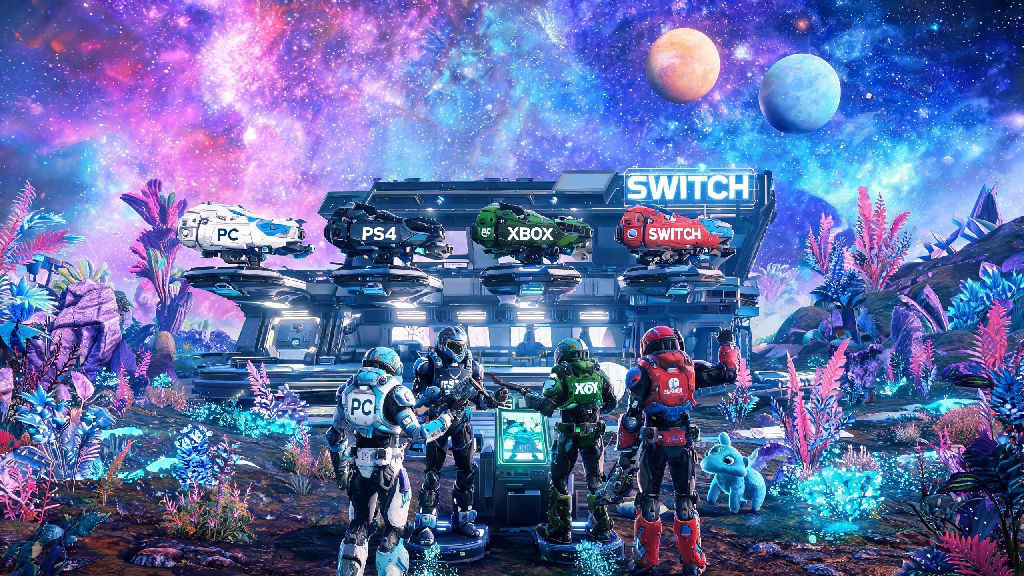
The short answer is yes, you can play No Man’s Sky multiplayer on almost every modern gaming platform, with full crossplay support out of the box. Crossplay is enabled by default for all platforms, so you don’t have to mess with any special settings to play with friends on different hardware. Supported platforms include PC (Steam, Epic Games Store, GOG, PC Game Pass), PlayStation 4, PlayStation 5, Xbox One, Xbox Series X/S, Nintendo Switch, and even cloud gaming services like GeForce Now.
That said, there are small differences in multiplayer limits depending on your platform. Most platforms support up to 32 players in a single public lobby, with no restrictions on what activities you can do together. The Nintendo Switch edition caps lobbies at 8 players, though, to keep performance stable on the portable hardware. You can also adjust your lobby privacy settings at any time to make it public, friends-only, invite-only, or turn off multiplayer entirely if you want to play alone.
I’ve played with friends across PS5, Epic PC, and Xbox Series S multiple times, and the only time we ever ran into crossplay issues was when one friend had a strict NAT setting on their router. We fixed that in a few minutes by turning on UPnP in their router settings, and we didn’t have any more connection issues for the rest of our play session.
How to Set Up a No Man’s Sky Multiplayer Lobby in 3 Simple Steps
Setting up a co-op lobby is far simpler than most new players expect. I’ve walked dozens of new users through the process, and it usually takes less than two minutes total if you already have your friends added on your platform or in-game. You do have one small hurdle to clear first, though: You need to have completed the first 30 minutes of the main story before you can access multiplayer features. That means you have to repair your initial ship, leave the first starting planet, and reach the first space station before invites and join options unlock. I’ve seen so many players confused why they can’t invite friends right after launching a new save, and this is almost always the reason.
Once you’ve passed that initial tutorial, follow these steps to set up your lobby:
If you want to join a friend’s game instead of hosting, you don’t have to wait for an invite. As long as their lobby is set to friends-only or public, you can just find their name in your Social tab and select “Join Game” to jump straight into their session. If you want to meet random players, set your lobby to public and you’ll automatically be matched with other players exploring the same region of the galaxy as you.
Fun Activities to Try in No Man’s Sky Multiplayer
Multiplayer isn’t just about exploring random planets together. Hello Games has added dozens of co-op specific features over the years, so there’s something for every type of player to enjoy with friends. My personal favorite activity is shared base building, and last year I spent three weeks with two friends building a giant floating base above a toxic ocean planet. We split up tasks: one friend built a massive automated farm for rare resources, another built a fleet of custom starships to display in our hangar, and I designed a common area with a bar, viewing deck, and teleporter network to all our favorite planets.
Another great co-op activity is running Expeditions, the game’s limited-time seasonal events. Expeditions have specific challenges and unique rewards, and completing them with a group cuts the time required in half. You can split up tasks to collect resources, complete missions, and hit milestones much faster than you could alone. Trading rare resources and ships with friends is another underrated multiplayer feature: if you find an S-class fighter or a perfect planet for a base, you can share the coordinates with your friends so they can get it too, or give extra rare resources to new players to help them upgrade their gear faster.
You can also take on more challenging content together, like raiding abandoned freighters, fighting giant sandworms on desert planets, or taking down pirate fleets in high-risk systems. These activities are much harder to complete alone, and everyone in your group gets the same loot rewards, so you don’t have to fight over rare drops. If you’re feeling competitive, you can turn on PvP in the Network tab to battle friends, but most public lobbies keep PvP turned off by default, so you don’t have to worry about random players attacking you while you explore.
Common No Man’s Sky Multiplayer Issues (And How to Fix Them)
While No Man’s Sky’s multiplayer is far more stable than it was even a few years ago, you might run into occasional bugs or connection issues. I’ve encountered almost every common problem during my hundreds of hours of co-op play, so I’ve got simple fixes for most of them. The most common issue is failed connections to friends’ lobbies, which is almost always caused by a strict NAT setting on your router. The fix is simple: turn on UPnP in your router’s settings, or add No Man’s Sky to your firewall’s whitelist on PC. If that doesn’t work, using a gaming VPN or accelerator will usually resolve NAT-related connection issues.
Another common bug is when a friend joins your lobby but can’t see you or your base. This is a sync issue, and the easiest fix is for both of you to fast travel to the same space station, then restart your games. That almost always resets the sync and lets you see each other. If your base uses a lot of custom parts or mods, other players may not see all of your builds unless they have the same mods installed, so if you play with mods, stick to private lobbies with friends who have the same mod list to avoid issues.
Nintendo Switch players might also notice significant frame rate drops when playing in lobbies with more than 4 players. The fix for this is to adjust your lobby settings to cap the number of players at 4, which will keep performance smooth even on the portable hardware. If you run into a bug that none of these fixes resolve, you can submit a report to Hello Games’ support team. They release regular patches for multiplayer bugs, and most major issues get fixed within a few weeks of being reported.
So next time someone asks you “can you play No Man's Sky multiplayer?” you can tell them it’s not just possible, it’s one of the best parts of the modern version of the game. Whether you want to build a giant shared base with friends, run Expeditions for rare rewards, or just wander random planets and see what weird creatures you can find together, there’s no shortage of fun co-op content to explore. You don’t need any special technical knowledge to get started, just a friend who owns the game and 30 minutes to get through the initial tutorial. I barely play single-player No Man’s Sky anymore, and once you try co-op with your friends, you probably won’t want to either.