I spent my first 12 hours of No Man's Sky stuck with a beat-up starting multitool that could barely mine copper without overheating, even after I found a rare S-class combat tool in a crashed freighter's cargo hold. I had no clue how to change multitools in No Man's Sky back then, and I almost left the high-tier tool behind because I thought I had to permanently swap it for my only other option. That frustration is what pushed me to dig into every possible swap method, and now I swap tools 10+ times per play session to match whatever task I'm working on. Multitools are your most essential piece of gear, handling everything from resource gathering to sentinel defense to scanning for hidden ancient ruins, so being able to switch between them quickly makes every part of the game far smoother.
How to Change Multitools in No Man's Sky: Core Menu Method
The core menu method is the most reliable way to swap between any of your stored multitools, even if you haven't used them in weeks. To access it, open your main inventory screen (default Tab on PC, Options/Menu button on console) and navigate to the multitool tab, marked with a small multitool icon to the right of your exosuit and ship tabs. You'll see all of your collected multitools listed here, with their class, damage stats, and upgrade previews visible so you can pick the right one for your current task.
You don't have to discard a multitool to swap to a new one, which is one of the most common myths new players believe. As of the latest game update, you can store up to 6 multitools in your collection at once, so you can keep specialized tools for mining, combat, and scanning without having to repurchase them later. To swap, just hover over the multitool you want to use and select the "Equip" option, and it will be in your hands immediately.
Only multitools you have previously claimed and added to your collection will show up in this menu, so if you find a new tool you like, make sure to add it to your collection before you leave the area where you found it. If a tool you know you owned is missing from the menu, a quick game restart almost always fixes the rare inventory glitch that causes that issue.
Quick Swap Multitools Mid-Game Without Opening Full Inventory
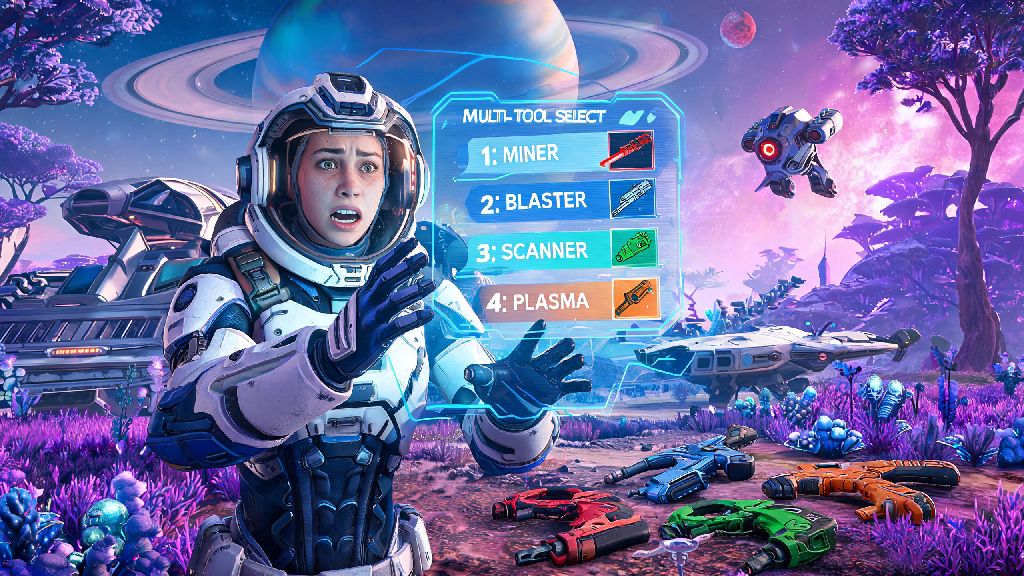
If you're in the middle of a sentinel attack or a rare resource run, you don't want to waste 10 seconds fumbling through the full inventory menu to swap tools. The quick swap method cuts that time down to less than a second, and it's easy to use once you memorize the bind. Hold down your quick menu button (default Q on PC, down on the D-pad for console) to pull up the circular quick access wheel, then navigate to the multitool icon on the bottom half of the wheel.
You'll see up to 3 of your most recently used multitools listed on this sub-wheel, so you can select the one you need and let go of the menu button to swap instantly. If you're used to the slow full menu process to change multitools in No Man's Sky, this trick will save you dozens of frustrating deaths mid-combat, and it makes swapping between a mining tool and combat tool when sentinels spawn feel completely seamless.
This method only works when you're on foot, not when you're piloting a ship or exocraft, so if you're landing on a planet you know has hostile sentinels, swap to your combat tool before you leave your ship. You can also pin less frequently used multitools to the quick wheel from the main multitool menu, if you want to keep a scanning tool accessible even if you haven't used it in a few days.
How to Add New Multitools to Your Collection
You can't swap to a multitool you haven't added to your collection, so it's worth hunting for high-tier tools as you explore different star systems. Multitools spawn in a range of classes from C to S, with S-class tools having the highest stat boosts for damage, mining speed, and scanning range. You don't have to go for S-class tools right away if you're a new player, even a B-class specialized tool will perform far better than your default starting multitool for specific tasks.
When you find a multitool you want, interact with it to pull up the purchase/claim menu. Most tools found in space stations or settlement terminals will cost units or nanites to buy, while tools found in crashed sites or abandoned buildings are free to claim. You can choose to add it to your collection instead of swapping it for your current one, as long as you have an empty storage slot in your multitool inventory, so you don't have to get rid of a tool you like to pick up a new one. Once you claim it, it's automatically added to your stored list, no extra registration steps required in the latest update. Once you have multiple tools saved, you can change multitools in No Man's Sky whenever you need, no extra trips to the space station required.
If you're not sure where to look for high-quality multitools, these are the most reliable spots:
- Minor settlements in wealthy T3 star systems have a 30% chance of spawning an A or S-class multitool in their local terminal, often for 20% less than space station prices
- Crashed freighter sites almost always hide a free multitool in their upper cargo holds, with a 15% chance of being S-class if you're exploring a harsh or uncharted planet
- The Space Anomaly's multitool shop restocks with new high-tier options every 24 real-time hours, including exclusive expedition-themed tools you can't find anywhere else
- Pirate-controlled systems sell combat-focused multitools with extra sentinel damage bonuses at 20% lower prices than regular regulated star systems
Tips to Optimize Your Multitool Loadout for Every Task
Being able to swap multitools is only useful if you have a curated collection of tools that match your playstyle. You don't need 6 identical general-use tools, instead, build a loadout that covers all of your most frequent tasks. Most players stick to 3 core tools: a mining-focused tool with boosted mining speed and heat resistance, a combat-focused tool with extra damage and reload speed for sentinel fights and pirate raids, and a scanning-focused tool with boosted scan range and reward bonuses for finding rare resources and ancient ruins.
Always keep a basic all-purpose multitool as your backup, in case your specialized tool runs out of charge mid-task or you run into a glitch that makes your primary tool unavailable. You can upgrade any multitool's inventory slots at the space station multitool terminal for a small nanite cost, so you don't have to get rid of a favorite low-class tool if you can add more slots for upgrades later.
You can transfer upgrade modules between multitools for free from the inventory menu, so you don't have to waste nanites buying new upgrades every time you pick up a better tool. Just go to the upgrade tab on your old multitool, select the module you want to move, and choose the "Transfer" option to move it to your new tool instantly. If you're going on a long exploration run, swap to your scanning tool before you land on a new planet, so you can immediately start scanning for rare resources and points of interest without having to swap later.
At the end of the day, learning how to change multitools in No Man's Sky is a small skill that makes a massive difference to how smooth your playthrough feels. You won't have to panic fumble with menus when a sentinel walker spawns mid-mining run, and you'll never waste time scanning for rare resources with a low-tier scanner again. Play around with different loadouts to see what works for your playstyle, whether you're a casual explorer, a dedicated pirate, or a base building fanatic. If you run into issues with missing multitools in your menu, a quick game restart almost always fixes the problem, so you can get back to exploring in no time.