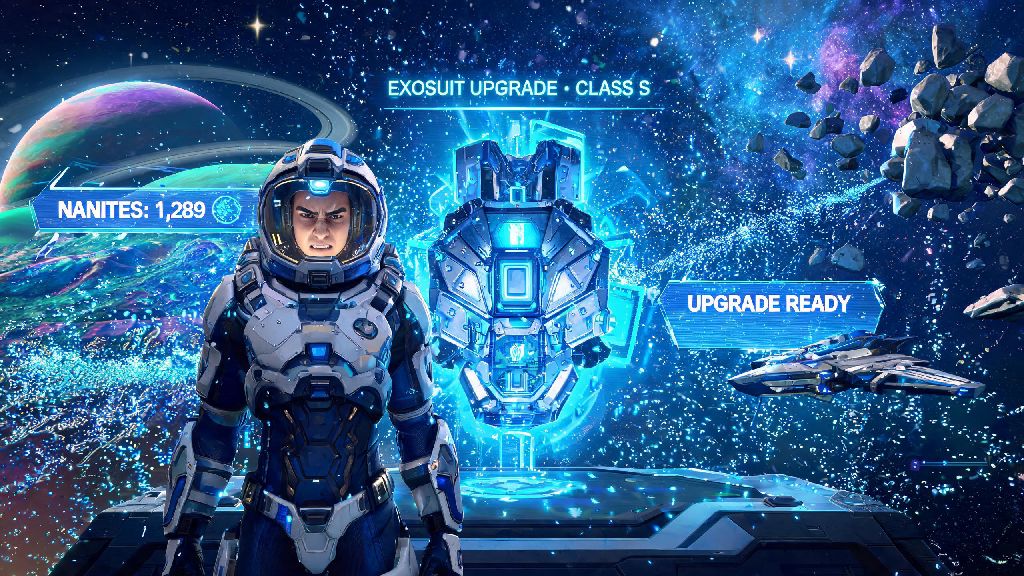
If you’ve spent dozens of hours hopping between star systems, hunting for rare fauna, or building sprawling bases in No Man’s Sky, you’ve probably wondered if there’s a way to tweak the game to fit your exact playstyle. The most common question new tinkerers ask is can you mod no man's sky, and the short answer is yes — as long as you follow a few simple rules to avoid breaking your saves or running afoul of the game’s terms of service. Modding can add everything from quality-of-life tweaks to total overhauls that turn the space exploration sim into a completely different experience, but it’s important to go into the process with clear expectations of what works, what doesn’t, and what risks you might face.
Is Modding No Man's Sky Allowed, and Will It Get You Banned?
Hello Games, the developer of No Man’s Sky, has taken a surprisingly relaxed stance on modding for single-player use, unlike many other live-service titles. You won’t face a ban for using mods as long as you disable all mods before joining multiplayer lobbies or accessing shared game modes. The game’s anti-cheat system is designed to flag modified files when you connect to public servers, so skipping this step can lead to temporary or permanent restrictions from online play, even if your mods are just quality-of-life changes that don’t give you an unfair advantage. Mods are only fully supported for single-player, offline play, so if you mostly play with friends, you’ll want to make sure every person in your lobby uses the exact same mod list to avoid crashes or conflicts. It’s also worth noting that major game updates will almost always break existing mods, so you’ll need to wait for mod creators to update their files before you can use them again after a patch drops.
The Most Popular No Man's Sky Mods Worth Trying
There are thousands of NMS mods available, ranging from tiny tweaks to massive total conversions, so it can be hard to know where to start if you’re new to modding the game. Some of the most well-loved options focus on quality-of-life changes that fix small annoyances many players have with the base game. For example, the Fast Actions mod cuts down on long animation times for things like mining, harvesting, and opening crates, so you can spend less time waiting and more time exploring. Other popular mods let you increase your inventory space beyond the base game limits, add more detailed planet maps, or even change the game’s visual style to have more vibrant, alien-looking atmospheres and terrain. If you want a bigger change, total conversion mods can turn No Man’s Sky into a hardcore survival sim, a space combat focused game, or even a retro-futuristic space adventure that looks like it came straight out of a 1950s sci-fi comic. Just make sure you read user reviews for any mod you download to confirm it works with the latest version of the game and doesn’t have hidden bugs that can corrupt your save files.
Step-by-Step Tips to Install NMS Mods Safely
Installing No Man’s Sky mods is far simpler than many new players expect, but following the right steps will help you avoid common headaches like corrupted saves or game crashes on launch. Before you download any mods, you should take a few basic pre-installation steps to protect your progress:
- Back up your entire No Man’s Sky save file folder to a separate location on your computer, so you can restore it if something goes wrong during installation
- Verify the integrity of your base game files through your game launcher to make sure there are no corrupted files that will conflict with mods
- Create a dedicated folder to store all your downloaded mod files, so you can easily track which ones you’ve installed and remove them if needed
How to Troubleshoot Common NMS Modding Issues
Even if you follow all the installation steps correctly, you’ll probably run into a modding issue at some point, especially after a major game update. The most common problem is the game crashing immediately on launch, which almost always means one or more of your mods are outdated or conflicting with each other. The easiest way to fix this is to remove all mods, then add them back one at a time, launching the game each time to see which one is causing the crash. Another common issue is saves not loading correctly after you install a mod, which is why your pre-install save backup is so important. If you run into this, just replace your current save folder with the backup you made, and you won’t lose any of your progress. Never download mods from untrusted sources, as they can contain malware or corrupted files that will damage your game or your computer. Stick to well-known mod hosting platforms with active user reviews and moderation to keep your setup safe. If you’re having trouble getting a specific mod to work, check the mod’s comment section for tips from other players, as most common issues have already been solved by the modding community.
At the end of the day, modding is one of the best ways to make No Man’s Sky feel tailored exactly to what you want out of your space exploration journey. If you were asking can you mod no man's sky without ruining your game experience, the answer is a resounding yes, as long as you take the right safety precautions, stick to single-player when using modified files, and stay patient when troubleshooting issues. Whether you just want to cut down on mining animation times or completely overhaul the game’s entire visual style, there’s a mod out there that will make your time in the No Man’s Sky universe even more enjoyable.