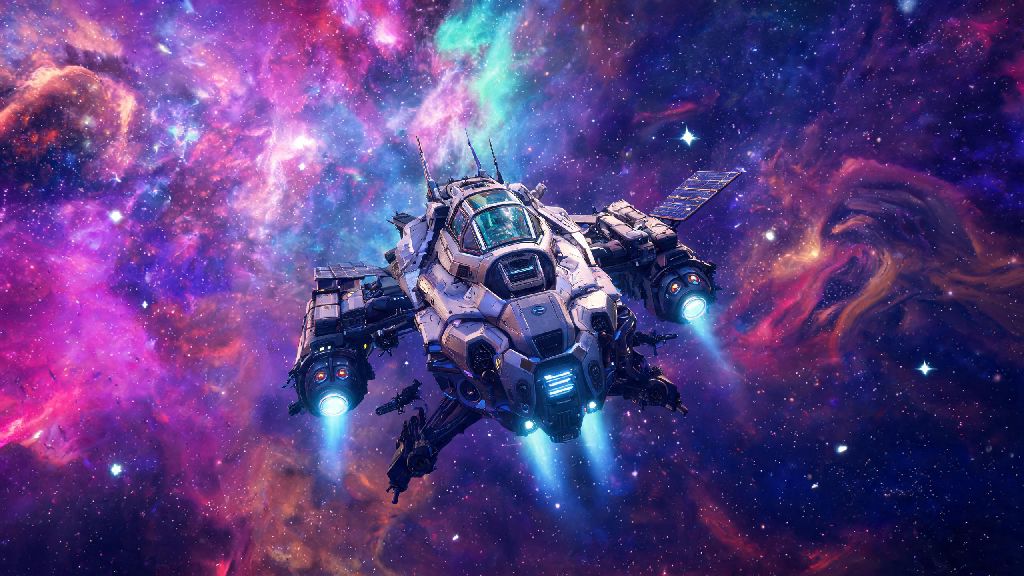
Ever found yourself squinting to line up a base building placement, or missing the full scale of your custom starship as you cruise past a neon-pink gas giant? If you’ve wondered how to switch to 3rd person no man's sky, you’re not alone. This camera mode is one of the most underrated quality-of-life settings in the game, and it works across every platform from PC to PlayStation, Xbox, and Switch. I’ve spent hundreds of hours bouncing between first and third person depending on what I’m doing, and I’ve got all the steps, fixes, and pro tips you need to make the switch smoothly.
How to Switch to 3rd Person in No Man's Sky for Every Play Style
The process to swap camera modes changes slightly depending on what you’re currently doing, and what platform you’re playing on. None of these steps require mods or file edits, so you don’t have to worry about breaking your save or getting banned from multiplayer sessions. You can swap back and forth between first and third person whenever you want, with zero cooldown or penalty. If you’ve ever tried to line up a landing in a tight spot next to your base, you already know how much easier it is when you switch to 3rd person in No Man's Sky.
For console players, the core shortcut is holding down the down button on your D-pad to pull up the quick access menu, then selecting the camera icon on the far right of the menu wheel. For PC players, the default key is V, though you can remap this in your control settings if it clashes with another shortcut you use often. That works for on-foot traversal, but you’ll need to repeat the same action when you’re inside a ship, exocraft, or freighter to adjust the camera for those modes separately.
One thing most new players miss is that each vehicle type saves its own camera preference. That means if you set your starship to third person, your exocraft will stay on first person until you change it manually. It’s a small quirk, but it’s intentional so you can customize each play style to your preference without having to adjust settings every time you switch activities.
- PlayStation / Xbox / Switch: Hold D-pad down, select the camera icon from the quick wheel to toggle between first, third person over shoulder, and third person far view
- PC (default controls): Press V to cycle through camera views, or hold Q to open the quick wheel and select the camera option manually
- VR mode: Third person is disabled by default for motion sickness reasons, but you can enable it in your accessibility settings if you prefer it
Best Use Cases for 3rd Person Mode
First person is great for immersion when you’re exploring tight cave systems or scanning for rare resources, but third person has a ton of practical uses that make a lot of activities way easier. I almost exclusively play in third person when I’m doing any of the following, and it’s cut down on my frustration levels a ton.
Base building is so much smoother in third person, because you can see the full scope of your structure and how it fits into the surrounding landscape. You don’t have to keep backing up to check if your roof lines up, or if that storage unit is blocking the path to your landing pad. It also makes placing decorative items way easier, since you can see the full space without having to move your character constantly.
Another big one is combat, especially against large sentinel walkers or pirate fleets. In third person, you can see incoming attacks from off-screen that you’d miss entirely in first person. I’ve dodged so many rocket blasts and laser barrages since I switched to third person for combat, it’s not even funny. It also lets you see your character’s animations, so you know exactly when your shield is recharging or your weapon is ready to fire again.
If you’re a fan of screenshotting your adventures, third person is non-negotiable. You can frame shots of your character standing on top of a mountain next to a rare creature, or your starship flying past a giant space station, without having to fiddle with photo mode first. I’ve got hundreds of shots I never would have gotten if I stuck to first person the whole time.
Common 3rd Person Glitches and Quick Fixes
No Man’s Sky gets regular updates, so sometimes small glitches pop up with the camera mode after a new patch drops. I’ve run into almost all of them over the years, and most have super simple fixes that don’t require you to restart your game or mess with any files.
The most common glitch is the camera getting stuck inside your ship or exocraft when you switch to third person. This usually happens if you swap camera modes right as you’re entering or exiting a vehicle. The fix is simple: just exit the vehicle, swap to first person, get back in, then swap back to third person. That resets the camera position almost every time. If that doesn’t work, a quick reload of your save will fix it 100% of the time.
Another common issue is the third person camera being too zoomed in or too far out by default. You don’t have to deal with the preset zoom levels, either. You can adjust the third person camera distance in your game settings, under the “Camera” tab. There are separate sliders for on-foot, ship, exocraft, and freighter camera distance, so you can set each one exactly how you like it. I keep my on-foot camera a little closer for combat, and my ship camera really far out so I can see all the space debris around me when I’m flying through asteroid fields.
If you’re playing multiplayer, you might notice that other players look like they’re floating or standing in the wrong position when you’re in third person. That’s a minor sync glitch, and it usually fixes itself after a few seconds. If it doesn’t, just fast travel to another planet or space station and come back, and the sync will reset. It doesn’t affect gameplay at all, it’s just a small visual quirk that pops up every now and then.
Pros and Cons of Sticking to 3rd Person Full Time
A lot of players ask me if they should just switch to third person permanently, and the answer really depends on what you prioritize in your playthrough. I bounce between both modes depending on what I’m doing, but there are clear upsides and downsides to sticking to one or the other.
The biggest upside of full-time third person is the increased situational awareness across all activities. You’ll spot more creatures, resources, and enemies before they spot you, which makes exploring dangerous planets way less stressful. It also makes traversal easier, since you can see exactly where you’re jumping or climbing, so you’re way less likely to fall off a cliff or into a pit of toxic goo.
That said, there are some downsides. Third person can break immersion a little bit, especially if you’re playing the game for the story and want to feel like you’re really the one exploring the galaxy. It can also make scanning for small resources a little harder, since the camera is further away from the ground, so you might miss tiny rare minerals that you’d spot easily in first person.
You also might run into minor clipping issues if you’re playing with a lot of custom character or ship mods. The camera might clip through your character’s head or your ship’s wings if you have extra large parts attached, which can be annoying. That’s usually fixed by adjusting the camera distance slider, but it’s something to keep in mind if you use a lot of cosmetic mods.
At the end of the day, the best camera mode is the one that makes the game fun for you. Now that you know how to switch to 3rd person no man's sky, you can test it out for different activities and see what works best for your play style. Don’t be afraid to swap back and forth whenever you want, and adjust the sliders to get the perfect camera position for you. I guarantee it’ll make a lot of the game’s more tedious activities feel way smoother, and you’ll get way better screenshots of your adventures to show off to friends.