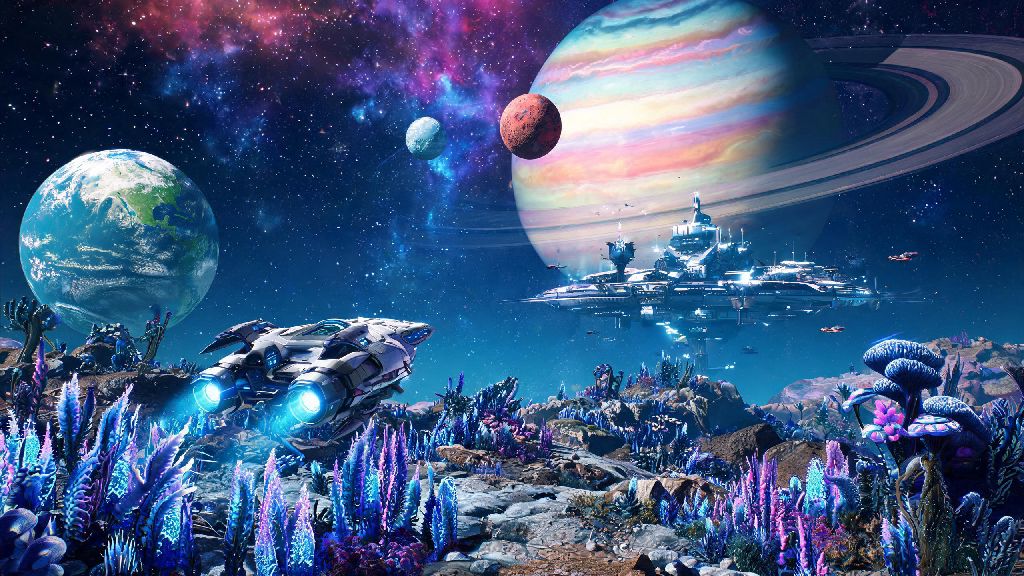
I still remember the first uncharted planet I stumbled on during my first 10 hours of No Man's Sky. It was a toxic, rain-soaked rock with glowing blue flora and herds of six-legged deer-like creatures that didn't run when I walked up to them. I knew right away I wanted to leave my mark, but I had no clue how to name a planet in No Man's Sky without running into issues with the shared galaxy rules. If you've ever found a world that feels uniquely yours, this guide walks you through every step, plus little-known rules most players miss until their submission gets rejected.
How to Name a Planet in No Man's Sky: Official In-Game Steps
The process for how to name a planet in No Man's Sky is intentionally simple, because Hello Games wanted every player to be able to leave their mark on the shared galaxy easily. First, you need to make sure the planet hasn't already been named by another player. You can check this by opening your discovery menu: on PC, that's the F3 key by default, and on consoles, it's left on the D-pad. If the planet name is a random procedural string of letters and numbers, it's unclaimed, and you can rename it.
Select the planet from the list of local discoveries, and you'll see a small pencil icon next to its current name. Click or select that icon to pull up the text input field, then type in the name you want to use. You have a 30-character limit, so you don't have a ton of space for long, elaborate names, but it's enough for most creative ideas. Once you're happy with your choice, confirm the name, then hit the upload button to send it to the galactic registry.
You don't need to finish scanning all flora and fauna to name the planet, which is a common myth new players often believe. You can name it the second you land, as long as it's unclaimed. That said, you earn 1000 nanites for uploading a fully scanned planet, so it's worth taking the extra 10 minutes to catalog all the creatures and plants if you're low on upgrade currency. Once uploaded, your name will be visible to every other player who visits that system, unless they're playing in offline mode.
Key Rules to Follow When Naming Your NMS Planet to Avoid Rejection
When you're figuring out how to name a planet in No Man's Sky, the last thing you want is to spend 10 minutes picking the perfect name just to see it get reverted a day later. Hello Games has strict content policies for all shared galaxy discoveries, and automated flags remove non-compliant names within 72 hours of upload. Most of these rules are common sense, but there are a few edge cases that trip up even long-time players.
- No copyrighted or trademarked terms: You can't name a planet after a Marvel character, brand name, or copyrighted media property. I learned this the hard way when I tried to name a fire planet "Mustafar" as a Star Wars reference, and it got reverted within 24 hours. These flags are almost fully automated, so even small, obscure references will get caught.
- No offensive, hateful, or discriminatory language: This includes slurs, references to harm, or any content that violates Hello Games' community guidelines. Violations can lead to temporary or permanent restrictions on your ability to name discoveries, so it's not worth pushing the line for a cheap joke.
- No spam or commercial content: Naming a planet after your social media handle, website, or product promotion is not allowed, even if it feels harmless. The galactic registry is for creative, personal names, not advertising, and these submissions get flagged very quickly.
- No overly long or unreadable names: The 30-character limit is already tight, but submissions filled with random numbers, symbols, or gibberish are often flagged as low-quality and removed. Stick to actual words or coherent, easy-to-read phrases if you want your name to stay up.
Personal names, inside jokes with friends, and references to public domain works or real, non-trademarked places are all safe. I named a quiet, forested planet after my childhood dog Max three years ago, and it's still up for every visitor to see, with no issues.
Creative Naming Ideas to Make Your Planet Stand Out
As you're brainstorming how to name a planet in No Man's Sky, don't feel pressured to pick something super clever or funny if you don't want to. The best names are the ones that mean something to you, or that match the unique vibe of the planet you're claiming. Even simple, descriptive names feel more special than the default procedural strings for other players who stumble on your world.
Match the name to the planet's features for a fun, memorable touch. If you found a frozen planet with constant blizzards and jagged ice peaks, something like Frostveil Peaks works way better than a random personal name. If you found a tropical paradise with pink oceans and flying fish, name it something that reflects that vibe, like Coral Bloom Shore. I once visited a system where all the planets were named after different types of tea, and it made my entire 20-minute stop there feel way more charming than any random system I've visited.
If you play with a regular group of friends, you can theme an entire system's names around a shared interest. My friend group named all six planets in our home system after our favorite late-night snack foods, and we still get comments from random players who stumble on it and think the theme is fun. You can also name planets after specific memories you had there: if you found your first S-class hauler on a dusty red planet, name it First S-Class Rock, or if you survived a 20-minute storm with 1% health left, name it Near Death Dunes.
You don't have to share your names publicly if you don't want to, either. If you play in offline mode or a private server, none of the content rules apply, so you can name planets whatever you want, including copyrighted references or inside jokes that wouldn't fly in the shared galaxy.
What to Do If Your Planet Name Gets Reverted
If you followed all the steps for how to name a planet in No Man's Sky and your name still got removed, it's almost always an automated flag, not a personal ban. First, double check your name against the rules we listed earlier to make sure you didn't accidentally use a trademarked term or flagged word. A lot of common words get caught in automated filters by mistake, so if your name uses a word that has another offensive or trademarked meaning, that's likely the issue.
If you're 100% sure your name is compliant, you can resubmit it after waiting 48 hours. Most false positive flags only trigger once, and a resubmission will go through without issues the second time. If it gets reverted again, you can tweak the name slightly to avoid the filter: for example, if "Sunset Shore" gets flagged for some reason, try "Sunset Shores" or "Orange Sunset Shore" instead.
If you get a restriction on your discovery submissions, don't panic. First-time violations almost never lead to permanent bans, and you can reach out to Hello Games support with a screenshot of your name to appeal the restriction. They're usually pretty quick to respond to false flag reports, especially if your name is clearly compliant with the community rules. You can also switch to offline mode if you want to keep naming planets without worrying about filters while you wait for your appeal to be processed.
Naming a world you found is one of the most rewarding small touches in No Man's Sky, and now that you know how to name a planet in No Man's Sky without running into unnecessary issues, you can start leaving your unique mark on the galaxy. Take your time picking a name that feels right to you, follow the simple community rules, and don't be surprised if a random player leaves a comms ball next to your landing site complimenting your creative choice months down the line. Half the fun of exploring the NMS galaxy is seeing the little personal touches other players have left behind, and your name could be the next one that makes a stranger's trip feel a little more special.