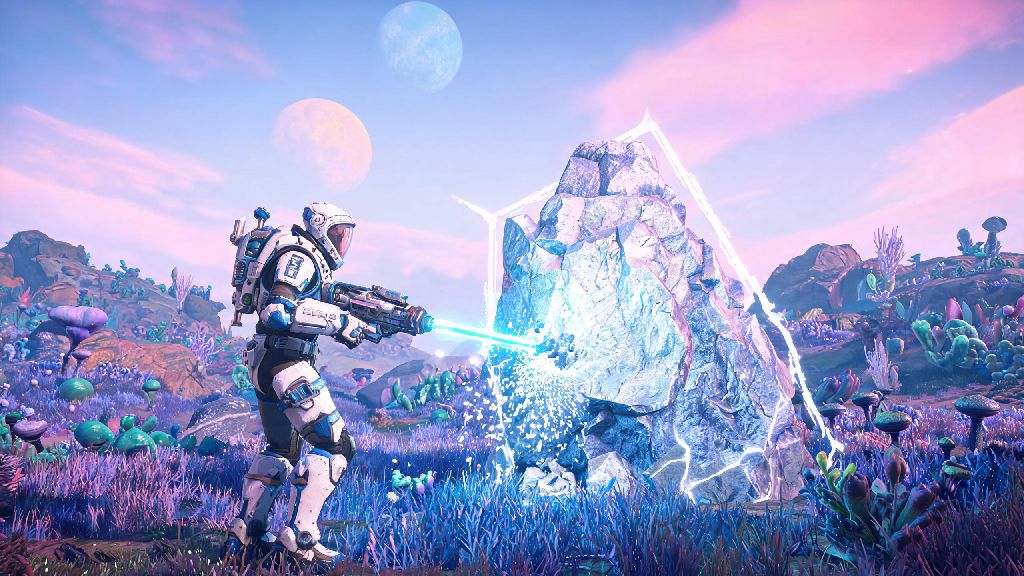
You're trekking across a radioactive alien planet, your exosuit is beeping about incoming storms, and you just spotted a weird, glowing creature off to your left – but you can barely see it over your character's shoulder in first person. If you’ve ever wished you could pull the camera back to take in the full view of your surroundings, show off your custom character fit, or snap a perfect shot of a neon-pink sunset over an ocean of liquid mercury, knowing how to go into third person in No Man's Sky is a total game-changer. I’ve logged over 300 hours in the game across PC, PS5 and Nintendo Switch, and I still switch between first and third person constantly depending on what I’m doing. It’s not just for pretty screenshots either – third person makes it way easier to spot hidden resource deposits, avoid enemy fire during chaotic space battles, and navigate tight cave systems without getting disoriented by tight turns and low ceilings.
How to Go Into Third Person in No Man's Sky On All Platforms
If you’ve never adjusted your camera settings before, the process of how to go into third person in No Man's Sky is super straightforward, no mods or custom settings required first. The toggle works the same way whether you’re playing on PC, console or Switch, the only difference is the button you press. For PC players by default, you can toggle third person by pressing the V key on your keyboard. This works for on-foot movement, ship flight, exocraft driving, and even when you’re riding a creature you’ve tamed. If you’ve remapped your controls, you can find the toggle option under the "Camera Controls" section of the settings menu, labeled "Switch Camera View".
For PlayStation players, the default toggle is pressing down on the D-pad. For Xbox players, it’s also down on the D-pad, and for Switch players, you press down on the left directional button. Keep in mind that the toggle is context-sensitive, so if you switch from on-foot to your ship, you’ll need to press the toggle again if you want to stay in third person for flight. A lot of new players miss this, and get confused when they switch to their ship and jump back to first person automatically. You don’t have to change any permanent settings to make the switch, just tap the button once and it will stay in third person until you toggle it back.
Differences Between Third Person Modes for On-Foot, Ship and Exocraft
Not all third person views are created equal in No Man's Sky, and each context has its own unique camera behavior that you can use to your advantage. On-foot third person is ideal for exploration and gathering resources, because it gives you a 180-degree view of your surroundings instead of the narrow field of view you get in first person. I always switch to third person when I’m searching for buried technology modules or ancient ruins, because I can spot the glowing markers from way further away without having to spin my camera around constantly. It’s also a lot easier to avoid fall damage when you can see exactly where your feet are going when you jump off a cliff or climb a steep mountain.
Ship third person is a must for tense space battles and planetary flyovers, in my opinion. When you’re in first person in your ship, you can barely see anything outside of your cockpit window, which makes it almost impossible to track pirate ships that are flying behind or beside you. In third person, you can see the full area around your ship, so you can dodge incoming fire and line up shots on enemies much faster. It’s also perfect for flying low over a planet to scout for interesting points of interest, because you can see the full landscape below you without the cockpit blocking your view.
Exocraft third person helps you avoid steep drops and hidden hazards when driving across rough terrain. Exocrafts like the Nomad or Colossus have huge frames that block almost half your view in first person, so switching to third person lets you see where you’re going and avoid running into hostile creatures or falling into deep ravines. I always use third person when I’m mining for resources with the Minotaur exocraft, because I can see exactly where my mining laser is hitting without the mech’s body blocking the view.
Hidden Camera Settings to Tweak Your Third Person Experience
The default third person settings work fine for most players, but there are a handful of hidden tweaks in the options menu that can make the view feel way more comfortable for your playstyle. I recommend spending 5 minutes adjusting these settings after you switch to third person for the first time, because small changes can make a huge difference in how the game feels. Here are the settings I always adjust first for every new save:
- Third Person Camera Distance Slider: Adjust this to pull the camera further back for a wider view, or move it closer for a more immersive over-the-shoulder feel. I keep mine at about 70% for on-foot movement, so I can see my character but still have a clear view of the area around me.
- Camera Auto-Center Toggle: Turn this off if you want the camera to stay where you point it, instead of snapping back behind your character when you move. This is perfect for players who like to look around while they walk without having to hold down the camera adjustment button.
- Vehicle Third Person Offset: Adjust this slider to move the ship or exocraft camera left or right, so you can see more of your surroundings without the vehicle blocking your view. I shift mine slightly to the left for ship flight, so I can see my ship’s weapons and the area in front of me at the same time.
- Camera Shake Intensity: Lower this if you get motion sick from fast movement in third person, or turn it up for more immersive combat and flight. I keep mine at about 30% because I get mild motion sickness from too much camera movement during fast space fights.
You can also adjust the field of view (FOV) for third person separately from first person, which is a nice touch for players who prefer a wider or narrower view. Just make sure you test the settings for a few minutes after you adjust them, because what feels good in the menu might feel weird when you’re actually running around or flying.
Common Third Person Mode Issues and How to Fix Them
Even though the third person toggle is pretty reliable, there are a few common issues that players run into, especially after big game updates. The most common issue is camera clipping, where the camera goes through walls, rocks or other objects when you’re standing too close to something. If your camera keeps clipping through walls, turn on the "Camera Collision" setting in the gameplay options – this will make the camera automatically move forward when you’re near an object, so it never goes through solid surfaces. The only downside is that it will push the camera into first person if you’re standing really close to a wall, but that’s a small tradeoff for not having your view blocked by a rock.
Another common issue is the toggle not working at all. This almost always happens when you’ve accidentally remapped the camera switch button, or when you’re in a menu or cutscene that locks camera controls. If the button isn’t working, first check that you’re not in a building menu or talking to an NPC, then go to your control settings to make sure the "Switch Camera View" button is mapped to something you can press. If you’re playing multiplayer, you might also notice that your camera setting resets to first person when you join a friend’s game – this is a known small bug, and you just need to toggle the camera once after you spawn in to fix it.
Some players also report that third person makes them feel motion sick, even if first person doesn’t. If that’s the case for you, try lowering the camera FOV, turning off camera shake, and moving the camera closer to your character. Small adjustments to these settings almost always fix motion sickness issues for most players, so don’t write off third person entirely if you feel weird the first time you use it.
At the end of the day, switching between first and third person is all about what makes your time in the game more fun. Whether you're grinding for rare resources, fighting off waves of pirates, or just taking screenshots of the stunning procedurally generated alien worlds you find, knowing how to go into third person in No Man's Sky gives you way more control over your gameplay experience. Don't be afraid to mess with the camera settings to find a setup that works for you – I’ve gone through at least four different camera configurations over my 300 hours of playtime, and I still tweak them every few weeks when I try a new playstyle. Next time you land on an uncharted planet, give third person a try, you might be shocked at how much detail you’ve been missing in first person.