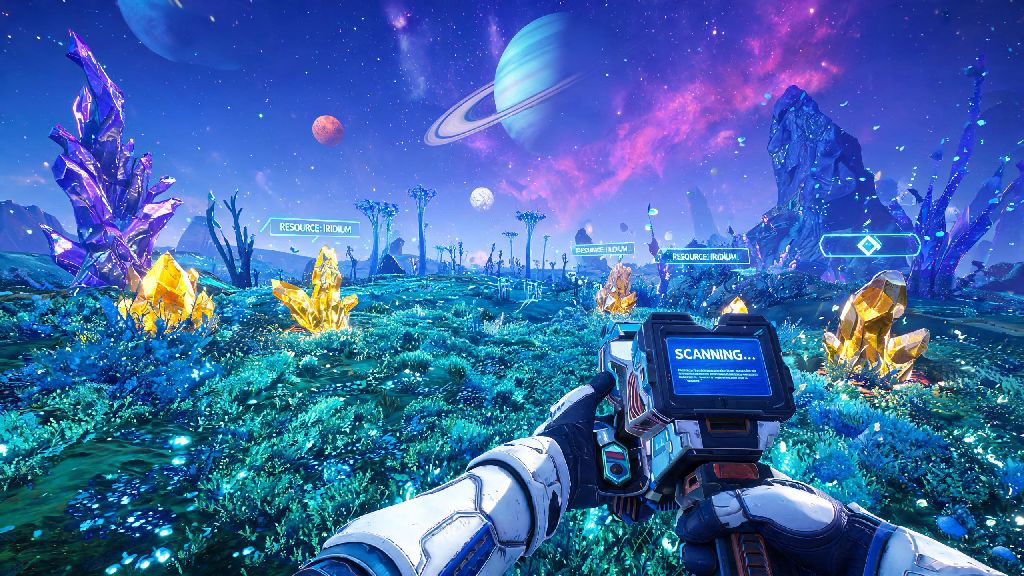
If you’ve ever trekked across a toxic alien planet squinting to make out a rare resource node just over the hill, or tried to line up a perfect shot on a hostile sentinel drone that keeps darting behind rock formations, you’ve probably wondered how to go first person in No Man’s Sky to get a clearer, more immersive view. A lot of new players boot up the game and get stuck in the default third person perspective for hours, not realizing how simple the toggle is, or that there are platform-specific tweaks to make first person play feel far more natural. This guide covers every step for all supported devices, common bugs you might run into, and customizations to fit your playstyle, whether you’re a casual explorer or a hardcore base builder.
How to Go First Person in No Man’s Sky by Platform
The process of switching to first person is slightly different depending on what device you’re playing on, but none of the steps require digging through 10 layers of settings menus. All toggles work instantly, and you can switch back to third person at any time with no cooldown or penalty. Quick toggle tip: You don’t have to navigate the full menu every time if you set a custom bind for first person toggle in your control settings.
For PC players, the default V key toggle works for both on-foot and vehicle use, but if you rebound V to something else (like a building menu shortcut, which a lot of veteran players do), you can set a dedicated first person toggle in the Controls tab of the settings menu. Just search for "camera perspective toggle" and assign it to a key that’s easy to reach while you’re playing, like one of your side mouse buttons if you have them. For PlayStation and Xbox players, tapping down on the d-pad pulls up the quick menu, and you’ll see a small camera icon on the far right of the menu wheel. Highlight that and press X or A to switch between first and third person instantly. If you hold down the d-pad instead of tapping it, you’ll pull up the full camera settings menu, where you can set default perspectives for each activity.
For VR players, first person is enabled by default when you boot up the game in VR mode, but you can still toggle to third person if you need to get a better look at your ship or base layout. Just note that third person in VR can feel disorienting for some people, so it’s best to stick to first for most regular play. You can also adjust the VR first person offset in the settings to reduce eye strain if you’re playing for long sessions.
Key Benefits of Playing No Man’s Sky in First Person
Plenty of players stick to third person because it’s what they’re used to from other open world games, but switching to first person unlocks a bunch of practical and immersive perks that make most activities in the game feel smoother. You don’t have to stick to one perspective permanently, but it’s worth testing first person for these common tasks:
It’s not for everyone, though. If you get motion sick easily, first person might feel jarring when you’re running over uneven terrain or flying low in a ship through narrow canyons. That’s the nice part about the toggle: you can switch back and forth as needed for different tasks, no questions asked. I’ve played over 300 hours of No Man’s Sky, and I switch between first and third person constantly depending on what I’m doing. I use first person for mining and exploring new planets, then switch to third when I’m flying my ship through asteroid fields so I can see if any pirates are sneaking up behind me.
Common First Person Camera Issues and Fixes
Most of the time, switching to first person works perfectly, but there are a few common bugs and quality of life issues that players run into, especially if they’re playing on older hardware or using custom settings. None of these issues are permanent, and all have quick fixes you can apply in 10 seconds or less.
The most common complaint is motion sickness from fast movement or low FOV. Disable motion blur in your graphics settings if you feel dizzy after a few minutes of first person play. It makes fast turns and running over rough terrain feel far smoother, and it barely impacts performance on most devices. You should also adjust your FOV slider to between 80 and 90 for on-foot play, higher if you’re on a wide monitor. Too low FOV makes first person feel claustrophobic, like you’re looking through a tiny window, while too high can cause fish-eye distortion at the edges of your screen that makes movement feel weird.
Another common bug is the view clipping through the cockpit when you switch to first person in a ship or exocraft. If this happens, just toggle to third person and back, or exit and re-enter the vehicle. It’s a rare bug that’s usually fixed with a quick reset, and Hello Games has patched most instances of it in recent updates. If you notice that your first person view feels zoomed in or too far out when you’re holding a multitool, you can adjust the "weapon view offset" slider in the camera settings. We recommend keeping the offset between 20 and 30 for most playstyles, so you can still see your multitool’s durability bar without it taking up too much screen space.
If you’re playing multiplayer, sometimes your camera will snap back to third person when another player joins your session or you warp to a new system. Just re-toggle your first person setting, it doesn’t reset your saved preference permanently. You can fix this entirely by setting first person as your default on-foot perspective in the camera settings menu, so it will automatically switch back even if the game bugs out.
Advanced Settings to Customize Your First Person Experience
Once you get the hang of the basic toggle, there are a bunch of hidden settings you can adjust to make first person play feel perfectly tailored to your preferences. Most of these are tucked away in the camera or controls menu, and a lot of players don’t even know they exist.
First, you can set separate default camera perspectives for different activities. That means you can have first person as your default for on-foot play, third for ship flight, and first for exocraft driving, all saved to your profile. It’s a huge quality of life upgrade if you switch perspectives often for different tasks, so you don’t have to toggle manually every time you get in your ship. Toggle head bobbing off if you struggle with motion sickness, it makes running feel far less bumpy and reduces nausea for most people.
For VR players, adjust the first person movement speed to be slightly slower than default if you get nauseous when moving quickly. You can also turn on a comfort vignette that darkens the edges of your screen when you run or turn, which reduces motion sickness for most people by limiting the amount of movement you see in your peripheral vision. You can also turn on "first person head tracking" if you’re playing on a console with a camera or a PC with a webcam, which lets you look around the world by moving your head, even if you’re not in VR. It’s a fun niche feature for content creators, or players who want an extra layer of immersion without investing in a VR headset.
If you’re a content creator, you can turn off the first person HUD entirely in the photo mode settings to get clean, immersive shots of alien worlds without any UI elements blocking the view. If you’re playing with mods, there are dozens of first person enhancement mods that let you adjust everything from the way your character’s hands look when you’re holding items to the amount of weapon sway when you run. Just make sure you only download mods from trusted sources, and back up your save file before installing any mods to avoid data loss.
At the end of the day, whether you prefer first or third person comes down to personal playstyle, but knowing how to go first person in No Man's Sky opens up a whole new level of immersion and practicality for everything from mining to combat. Don’t be afraid to tweak the settings to fit your preferences, and toggle between the two views as needed for different tasks. Next time you land on an uncharted planet full of weird glowing flora and unknown creatures, switch to first person and take a minute to look around – you might be surprised how much more connected you feel to the weird, wonderful world Hello Games built.