If you’ve spent hours trekking across a toxic No Man’s Sky planet only to fall through a terrain glitch, or had a main quest stop progressing for no obvious reason, you know how frustrating it can be to hit a wall mid-playthrough. I’ve logged over 400 hours in NMS across console and PC, and I’ve run into every possible stuck scenario you can imagine, from being trapped in a crashed freighter to having my ship disappear entirely after a warp to a new system. I’ve also spent plenty of time digging through community forums and testing fixes for these issues, so I know which hacks work and which are just a waste of time. This guide breaks down exactly how to get unstuck in No Man’s Sky, no modding or save file editing required for almost every fix, so you can get back to exploring the galaxy fast.
How to Get Unstuck in No Man’s Sky When Trapped on Uninhabitable Planets
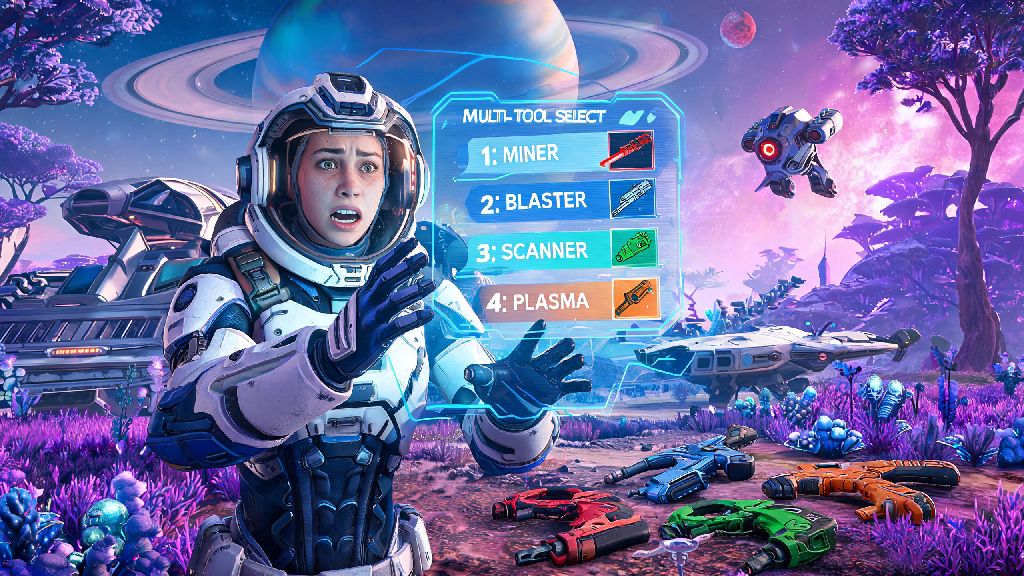
Getting stranded on a dead, toxic, or radiation-scorched planet with no way to launch your ship is one of the most common stuck scenarios new players run into, and it’s even more frustrating if you just spent 30 minutes looting a crashed freighter. If you’re trying to figure out how to get unstuck in No Man’s Sky when you’ve got no launch fuel and no obvious resources nearby, start with your scanner. Even the most barren dead planets have small, hidden deposits of di-hydrogen and ferrite dust, the two materials you need to craft a launch thruster recharge, and your analysis visor will highlight them even if they’re buried under a few feet of rock.
Always keep at least 20 di-hydrogen and 10 ferrite dust in your personal inventory (not your ship storage) at all times to avoid this scenario entirely, because you can’t access your ship’s inventory if it’s too damaged to interact with. If you can’t find any resources at all, check your quick menu for the emergency freighter summon option, if you own a freighter, you can summon it directly above your location and teleport to its bridge from the surface, no fuel required. As a last resort, you can reload your last auto-save, which will spawn you back in your ship or at the last space station you visited, but you will lose any progress you made since that save, so only use this option if you’ve exhausted every other fix.
Fixes for Stuck Quests and Broken Story Progression
There’s nothing more disappointing than reaching a big story beat, only to have the quest stop updating for no clear reason. The Atlas Path, Artemis line, and settlement management quests are the most common culprits for these bugs, often failing to trigger even when you’ve met all the listed requirements. If you’re wondering how to get unstuck in No Man’s Sky when your main quest won’t progress, the first step is to rule out simple user error first. For example, if a quest asks you to build a specific base item, make sure you’re placing it on the base the quest is tied to, not a random outpost you built 10 systems away. Many players skip over the fine print in quest descriptions and end up stuck for hours because they’re building in the wrong location.
Reloading your save inside a space station fixes 70% of quest bugs in my experience, because it resets all NPC spawns and quest triggers without erasing any of your progress. If that doesn’t work, try warping to a different system of the same race as the quest giver, then checking the space station or local settlement for the NPC you need to talk to. Most story quest NPCs will spawn in any matching system, not just the one you originally picked up the quest in. Never delete a base associated with an active story quest, that can permanently break progression, forcing you to restart the entire quest line from the beginning, even if you already completed 90% of it.
How to Fix Terrain Glitches and Clipping Issues
Terrain glitches are by far the most common stuck bug in No Man’s Sky, and they’ve been around since the game first launched. You might be running across a planet and fall through a gap in the terrain, get stuck inside a rock that spawns under you, or log back in after an update to find your entire base is buried under 50 feet of dirt. This is one of the most frustrating ways to get stuck, but it’s also one of the easiest to fix if you know the right tricks. If you’re trapped inside terrain or stuck halfway through a rock, use your terrain manipulator to dig straight up or down until you free yourself, it only takes a few seconds even if you’re deep underground, and you don’t need any special materials to use it.
If you fall through the entire map, don’t panic: your character will usually respawn at your last save point after 10-15 seconds, or you can manually reload a save if you don’t want to wait. For bases that get buried after a game update, you can use the “restore terrain” function in the base building menu to reset the ground around your structures to exactly how it was when you first placed the base, no digging required. If you run into these glitches often, there are a few quick tricks you can use to get free in seconds:
- Open your quick menu and summon your exocraft directly next to you, then climb in to pull yourself out of terrain even if you’re partially clipped through the ground
- Use your personal refiner to create a launch thruster recharge if you’re stuck next to your ship and can’t reach the cockpit, then summon your ship again from the quick menu to reset its position
- Summon a portable save point, interact with it to trigger a save, then reload the new save to reset your character’s position without losing any recent progress
If you play on PC, turning off terrain tessellation in your graphics settings can reduce the frequency of these clipping glitches by 50% or more, as it removes the extra detail that often causes gaps in the terrain when you’re moving fast.
Solutions for Multiplayer and Co-op Stuck Bugs
Playing No Man’s Sky with friends is one of the best parts of the game, but sync issues often leave players stuck in place, unable to interact with anything, or trapped in a loop of spawning and dying. These bugs usually happen when players are on different game versions, or when the host has a slow internet connection that can’t keep up with all the player data. The first fix for almost any multiplayer stuck bug is to leave the session and rejoin, that resets your connection to the host and fixes most temporary sync issues in less than a minute.
Make sure all players in the session are on the same game version, even a small hotfix difference between PC and console players can cause major sync bugs that make players appear stuck to each other, or prevent them from interacting with the same objects. If you’re hosting a session and a friend is stuck, you don’t need to make them leave and rejoin: you can invite them to your group and teleport them directly to your location from the group menu, which resets their position instantly. If you’re stuck in a multiplayer session and can’t leave, you can always force close the game and reload your single player save, you won’t lose any progress you made before joining the session, and you can rejoin later once the host fixes any connection issues. Keep in mind that some features, like base building and quest progression, are limited for guest players in multiplayer, so if you’re stuck trying to build an item or trigger a quest as a guest, you might need to go back to your single player save to complete it first.
At the end of the day, No Man’s Sky is a massive, constantly evolving game, and small bugs and stuck scenarios are bound to pop up every once in a while, even after 7 years of updates and dozens of major content drops. The fixes in this guide work for 99% of common issues, so you don't have to abandon hours of progress or edit your save files just to get back to exploring. If you've tried every tip here and still can't figure out how to get unstuck in No Man's Sky, you can report the bug to Hello Games through their official support portal, they regularly patch common stuck issues in their monthly minor updates, and they often respond to reports from players directly. Most importantly, don't let a random glitch ruin your playthrough: the galaxy is way too big to spend hours stressing over a single stuck spot, and there are always new planets to explore, creatures to scan, and bases to build once you get free.