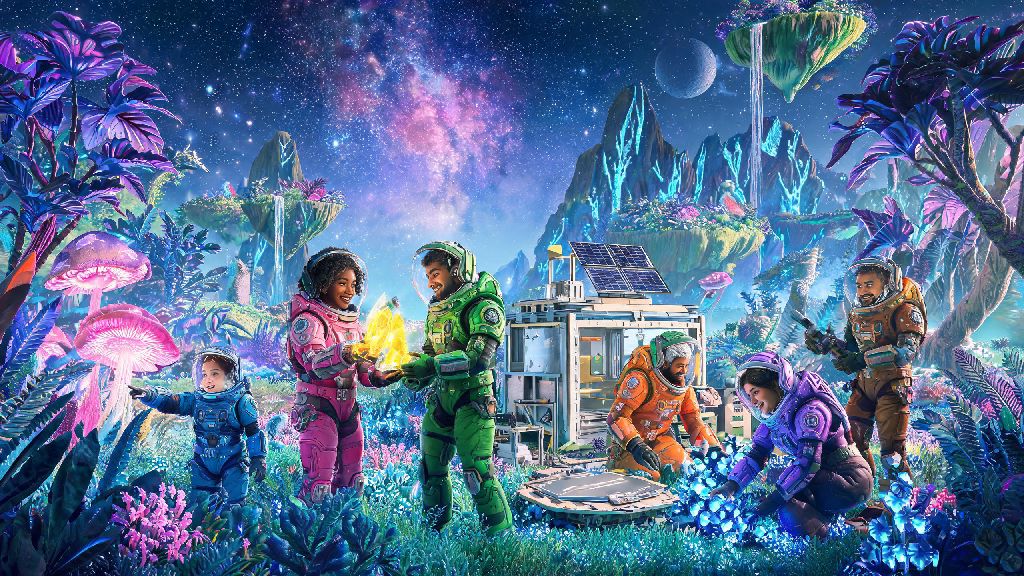
If you’ve spent hours wandering alone through No Man’s Sky’s endless procedurally generated galaxies, you’ve probably wondered at some point how much more fun it would be to share that journey with people you know. The game’s vast, uncharted worlds feel a lot less lonely when you’re exploring alongside friends, tackling pirate ambushes together, or building a shared base on a paradise planet you found on a random jump. I’ve spent years bouncing between solo and group play across PC, PlayStation, and Switch versions of the game, and I’ve picked up every trick there is for how to find friends in No Man's Sky regardless of your platform or playstyle. Don’t worry if you’ve struggled to connect to other players before—most of the common issues have simple fixes that take less than a minute to sort out, and you don’t need any technical knowledge to get them working.
How to Find Friends in No Man's Sky Using In-Game Friend Codes
When you open your options menu and navigate to the Network tab, you’ll see your unique NMS friend code listed right at the top of the screen. This 16-digit code works across every platform, so you don’t have to worry about swapping PlayStation usernames with someone who plays on Steam, or struggling to find an Xbox friend who’s on Switch. All you have to do is send your code to the person you want to add, and they can enter it in the same Network tab under the “Add Friend” field. You’ll get a pop-up notification as soon as they send the request, and once you accept, they’ll show up on your friend list permanently, even if you switch platforms later.
Your unique NMS friend code is tied to your Hello Games account, not your platform account, so it stays the same even if you buy the game again on a different device. Crossplay enabled in settings is turned on by default for all new installs, but if you turned it off at any point to avoid random players, you’ll need to toggle it back on before you can accept friend requests from people on other platforms. If you don’t see the request pop up right away, don’t panic—sometimes notifications take a minute to come through, especially if you’re in a busy system with lots of other players. A quick restart of your game is usually enough to get it to show up if it’s taking too long.
Join Public Lobbies to Meet New Players Organically
If you don’t have any existing friends who play No Man’s Sky, public lobbies are one of the easiest ways to meet new people without having to leave the game. You can toggle your lobby privacy in the Network tab too—switch it from “Friends Only” to “Public” and you’ll be placed in a session with up to 15 other random players who are in the same general region of the galaxy as you. You can set filters too, if you only want to join lobbies for specific game modes like survival or permadeath.
Expedition events are by far the best place to meet new people in public lobbies, because everyone is working towards the same set of limited-time goals, so it’s super easy to strike up a conversation or team up to finish a tricky task. I once met a group of 4 people during the Leviathan expedition when we all ended up in the same system trying to take down a massive pirate freighter, and we still play together regularly two years later. You can see other players’ markers on your HUD and galaxy map as soon as they’re in the same system as you, so you can fly over to their location to say hi, or send them a friend request directly from the player list in your menu. If you ever get tired of random players popping up near your base, you can switch back to a private lobby at any time without losing any progress or removing any of your existing friends.
Use Community Hubs to Find Long-Term Play Partners
If you want to find people who share your specific playstyle, off-game community spaces are way more reliable than random public lobbies. Public lobbies are great for casual meetups, but if you’re looking for people who want to spend 10 hours building a giant themed base, or run through all the game’s story missions together, you’ll have better luck looking in dedicated NMS community spaces. Most active players gather in a few common spots where you can post looking for group, or join existing crews for planned activities:
I’ve met some of my longest-running NMS crew members through the Discord server, including a group that I've done every single expedition with for the last three years. Share your playstyle preferences upfront when you post looking for group, so you don’t end up paired with someone who wants to grind for resources 24/7 when you just want to take pretty screenshots of alien flora and hunt for weird creatures. Most communities have strict rules against toxicity too, so you don’t have to worry about running into rude players like you might in other online games. Just make sure to read the community rules before you post, so you don’t get your LFG request removed accidentally.
Troubleshoot Common Connection Issues When Adding Friends
Even if you follow all the steps correctly, you might run into occasional issues when trying to connect to friends, especially if you're playing across different platforms. I’ve had more connection fails than I can count over the years, and 90% of them have the same simple fixes. The first thing to check is that both you and your friend have crossplay enabled in your network settings—this is the most common fix for failed connection requests, especially if one of you is on a console and the other is on PC. If that's already enabled, check that you're both on the same game version; updates roll out across platforms at slightly different times, so if one of you hasn't installed the latest patch, you won't be able to see each other's friend requests or join the same lobby.
Another quick fix is to have one of you warp to a new, empty system first, then send the invite again—sometimes overcrowded systems near popular expedition landmarks have connection limits that prevent new players from joining. I've had this happen dozens of times during popular expedition launch weeks, and a quick warp to a nearby uncharted system almost always fixes it immediately. If you’re still having issues, you can try restarting your router, but that’s only necessary for very rare network setups. Most of the time, the problem is something tiny that takes 30 seconds to fix, so don’t give up if your first connection attempt doesn’t work.
No Man's Sky's massive universe is made infinitely better when you have people to share it with, whether you're tackling tough combat missions, building a sprawling shared base, or just hopping between random planets to see what weird, tentacled creatures you can find. You don't have to stick to playing with people you already know either—there's a huge, welcoming community of players looking for new friends to explore with, no matter what you like to do in the game. You can stick to casual meetups in public lobbies, find long-term play partners in community spaces, or just add people you run into while you're out exploring. Next time you log on, try one of the methods we covered for how to find friends in No Man's Sky, and you'll be flying through the galaxy with a crew before you know it.