If you’ve ever found yourself squinting to get a closer look at a rare S-class starship or struggling to line up a base building placement, you already know how much your point of view impacts your No Man’s Sky experience. I’ve spent hundreds of hours hopping between planets and space stations, and one of the first tweaks I make every time I boot up the game is adjusting my camera angle to fit the task I’m working on. Learning how to change POV in No Man's Sky takes less than 30 seconds, but it can completely transform how you interact with the game’s vast, procedurally generated universe. It works across every platform, too, so you don’t have to worry about missing out on this quality of life upgrade no matter what you play on.
How to Change POV in No Man's Sky for Every Platform
The game lets you switch between first person, third person character, and third person ship views with just a few taps, no complicated menu dives required for regular use. Default controls are consistent across most console platforms, but PC players can rebind the toggle to any key that fits their playstyle. Default POV toggle binds for each platform are as follows:
- PC: Press the V key by default, or rebind the "Toggle Camera View" control in the Controls menu under Gameplay settings
- PlayStation 4/5: Hold down the D-pad down button, then select the camera icon from the quick action wheel
- Xbox One/Series X/S: Hold down the D-pad down button, then choose the camera toggle option from the pop-up menu
- Nintendo Switch: Hold the down button on the left D-pad, then tap the camera icon to switch views
If your toggle isn’t working, first double check that you haven’t accidentally rebound the key to another action. I’ve had this happen twice after major game updates, when my custom control settings reset to default without warning. You can also set a default POV in the Gameplay settings so the game always boots to your preferred view, no extra toggles needed after you launch. This is a great pick if you almost exclusively play in first or third person and don’t want to adjust the setting every time you load a save.
When to Switch POV for Better Gameplay
You don’t have to stick to one camera view for your entire playthrough, and most veteran players swap between POVs constantly depending on what they’re doing. Each view has distinct advantages that make specific tasks far easier, so it’s worth getting comfortable with the toggle early on.
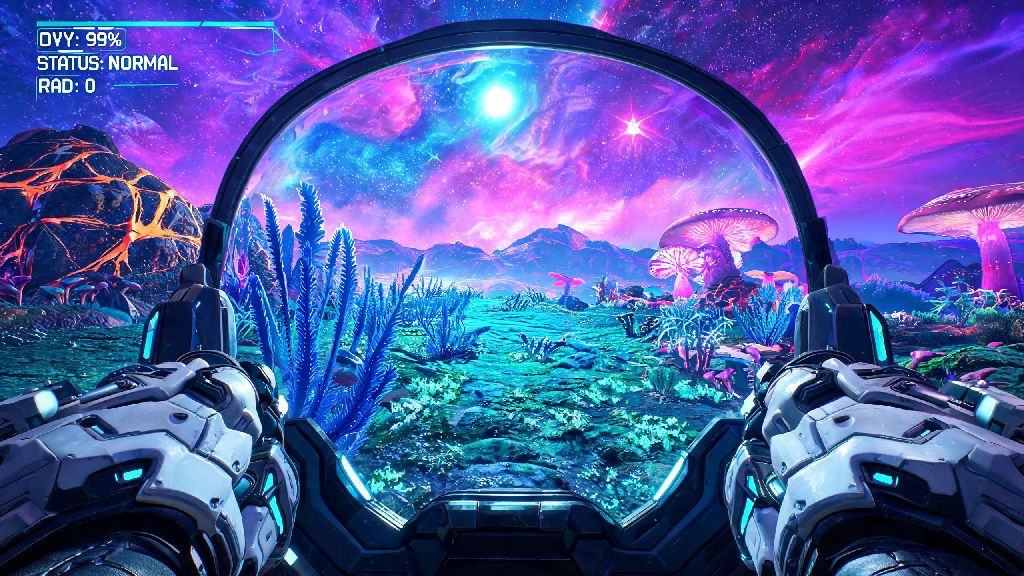
First person POV is ideal for precision tasks like mining rare resources or scanning for hidden fauna, because it eliminates the distraction of your character model in the frame. You’ll get a clearer view of small mineral deposits or tiny creatures that count toward your planet’s discovery milestones, and aiming at hostile sentinels or predatory wildlife feels far more responsive. First person also makes exploration feel far more immersive, especially when you’re walking through a bioluminescent forest or standing on the surface of a storm-battered frozen planet.
Third person POV shines for tasks where you need spatial context. For base building, it lets you see how your new prefab fits next to existing structures without having to step back constantly. I always switch to third person when I’m building large freighter bases, so I can make sure hallways line up correctly and I’m not wasting valuable storage space. Third person also reduces motion sickness for many players, especially if you’re playing for long sessions or navigating tight cave systems where fast first person movement can feel disorienting. It’s also the best pick for taking in-game screenshots of your character, base, or favorite starship.
Common POV Issues and Quick Fixes
Most POV-related problems have simple fixes that take less than a minute to resolve, so you don’t have to restart your game or mess with complicated settings to get back to playing. The most common issue new players run into is the toggle not working at all, and 9 times out of 10 it’s because you’re in a restricted game state. You can’t switch POV during story cutscenes, while you’re interacting with a trade terminal or NPC dialogue menu, or during certain mission-specific sequences where the camera is locked for narrative purposes.
If your toggle works on foot but not when you’re flying a ship or driving an exocraft, head to the Gameplay settings and make sure you have separate camera toggles enabled for different vehicle types. The game lets you set independent default POVs for on-foot, ship, exocraft, and freighter use, so you can have first person set for on-foot exploration and third person set for flying without having to toggle every time you get in your ship.
If your POV keeps resetting after game updates, head to your save file settings and make sure your custom gameplay preferences are set to sync across devices. Most of the time, resetting your default POV in the settings menu once after an update will stop this issue from happening again. If you’re playing with mods, outdated camera customization mods are almost always the cause of wonky POV behavior, so try disabling them one by one to find the culprit.
Advanced POV Customization Options
Beyond the basic toggle, the game has a handful of built-in settings that let you tweak your POV even further to fit your preferences. The most useful one is FOV (field of view) adjustment, which you can find in the Display settings menu. You can set separate FOV values for first and third person, ranging from 60 to 110 on most platforms. Higher FOV lets you see more of your surroundings at once, which is great for exploration, but don’t crank it too high if you get motion sickness, as it can make the world feel distorted around the edges of your screen.
You can also adjust camera shake intensity, remove head bobbing for first person view, and change how close the third person camera sits to your character in the Gameplay settings. These small tweaks make a huge difference for accessibility, especially for players who struggle with motion sensitivity from fast camera movement.
For PC players, there are dozens of community-made mods that expand POV customization even further. You can find mods that let you adjust the third person camera distance to be closer or further away, remove all camera shake during combat or ship flight, and even add a free camera POV that lets you fly around your base or planet to take professional-grade screenshots. Always back up your save files before installing any POV customization mods to avoid losing hours of exploration progress if something goes wrong, and only download mods from trusted community platforms to avoid malware.
At the end of the day, No Man’s Sky is all about playing the way that feels most fun for you, and adjusting your camera view is one of the simplest ways to tailor the experience to your preferences. You don’t have to stick to one POV forever, either—switching between first and third person depending on what you’re doing will make every task feel smoother and more enjoyable. Now that you know how to change POV in No Man's Sky, you can jump back into your next playthrough with full control over how you see the galaxy. Whether you’re chasing down rare creatures, building a sprawling planetary base, or just cruising through asteroid fields, the right POV will make every moment feel more immersive.