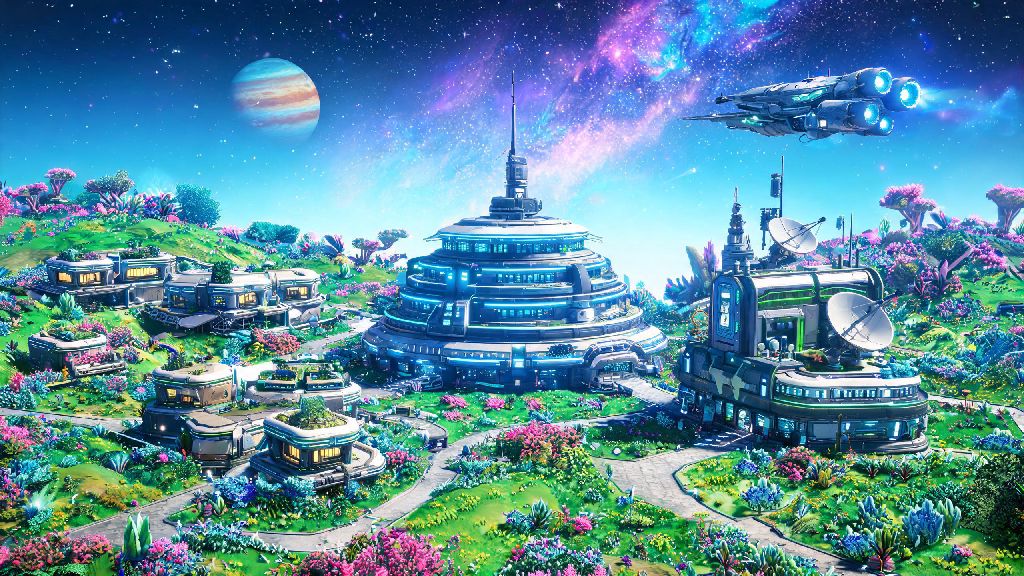
If you’ve ever stumbled across a vibrant neon planet teeming with bizarre creatures or a derelict freighter packed with rare loot, your first thought was probably, can I play No Man's Sky with friends so I can show them this? I’ve spent hundreds of hours roaming the galaxy both solo and with a crew of three long-time gaming buddies, and I can confirm that playing with others turns a great open-world exploration game into an unforgettable shared adventure. But it’s not as simple as just hitting “invite” right out of the gate, especially if you’re playing across different platforms or you’re still in the early tutorial hours. This guide breaks down everything you need to know to team up, avoid common connection headaches, and make the most of your time exploring together.
Can I Play No Man's Sky With Friends Across Different Platforms?
Crossplay support for No Man's Sky has been fully implemented for years, so you can team up with friends no matter what device they play on. Supported platforms include PC (Steam, Epic Games Store, GOG), PlayStation 4 and 5, Xbox One and Series X/S, and Nintendo Switch. Crossplay is enabled by default, but you can turn it off in your game settings if you only want to play with people on the same platform as you.
You don’t need a paid subscription to play with friends on PC, but console players will need an active subscription to their platform’s online service (PlayStation Plus, Xbox Live Gold, or Nintendo Switch Online) to access all multiplayer features. You don’t have to link a Hello Games account to play crossplay, but linking one will let you carry your save progress across different devices if you switch platforms later.
I play on Steam, and my roommate uses a PS5, and we’ve never run into crossplay issues as long as we both have our game updated to the latest patch. That said, if one of us is running a modded version, we have to disable mods first to avoid getting booted from the lobby or triggering anti-cheat flags.
How to Invite and Join Friends in No Man's Sky
The first thing to know is that multiplayer features are locked until you complete the initial tutorial segment. You’ll need to fix your starting ship, leave the first planet, and make your first interstellar jump to unlock the Space Anomaly, which is where all multiplayer tools become available. If you’re still asking can I play No Man's Sky with friends after unlocking the Space Anomaly, the answer is yes, and the invite process is super straightforward.
Simply open your quick menu, navigate to the Social tab, and you’ll see a list of friends on your platform’s friends list, plus any players you’ve recently met in public lobbies. You can send invites directly from this menu, or search for a friend’s Hello Games ID if they’re not showing up on your platform list. When you join a friend’s lobby, you can choose to spawn at your last saved location or right next to your friend, so you don’t have to waste time traveling to meet up.
If you’re running into connection issues when trying to join a friend, try these quick fixes that solve almost all common problems:
- Make sure both you and your friend are running the exact same game version – even a small hotfix update can break crossplay if one person hasn’t installed it
- Disable any game mods you’re running, as most mods are not compatible with public or private multiplayer lobbies
- Check that your network settings don’t have strict NAT enabled, which can block peer-to-peer connections for No Man's Sky
- Restart your game and platform if invites aren’t showing up, as this fixes 90% of minor connection glitches
I once spent 20 minutes trying to join a friend’s lobby before I realized I hadn’t updated my game after a small patch dropped the night before. Save yourself the frustration and double-check for updates before you plan a group play session.
Fun Activities to Do With Friends in No Man's Sky
If you’ve been wondering can I play No Man's Sky with friends just to mess around and build silly things, you’ll be happy to know there are almost no limits to what you can create together. Up to 4 players can work together in a private group for focused co-op play, while public lobbies can hold up to 32 players for larger community events. There’s no wrong way to play with friends, but some of the most popular group activities are fan favorites for a reason.
Building shared bases is one of the best parts of group play. You can set permissions so friends can build, harvest, and store items in your base, and you can collaborate on huge projects that would take weeks to finish alone. My group built a giant floating base on a water planet that has a farm for every rare crafting material we need, plus a viewing platform to watch the giant leviathan creatures swim below us. You can also take on derelict freighters together, which are much easier when you have friends watching your back against the hostile entities inside, and you can split the valuable loot at the end.
For more action-focused groups, you can take on sentinel pillars, pirate fleets, or endgame expedition missions together, which give far better rewards when you work as a team. You can also trade resources, ships, and multi-tools with friends, which is perfect if one of you is missing a rare material for a big craft. You keep all the progress, items, and units you earn while playing in a friend’s lobby, so you don’t have to worry about losing anything when you go back to your solo save.
Important Rules to Follow When Playing No Man's Sky With Friends
No Man's Sky’s multiplayer is pretty laid back, but there are a few unwritten and official rules you should follow to make sure everyone has a good time. First, if you’re joining a random public lobby, never destroy other players’ bases or steal their resources. That’s considered griefing, and you can get reported to Hello Games, which can lead to a temporary or permanent ban from multiplayer features.
If you’re playing with friends who are new to the game, don’t rush them through the tutorial or give them endgame items right away if they don’t want them. A lot of the fun of No Man's Sky is the discovery process, and skipping that can make the game feel boring for new players. I made that mistake with my little cousin when he first started playing: I gave him a fully upgraded S-class ship, and he lost interest after a couple of days because he didn’t have to work for anything.
Always communicate with your group before you make big changes to a shared base – the last thing you want is to delete a friend's carefully built farm because you thought it was taking up too much space. If you’re playing with modded versions of the game, make sure everyone in the group has the exact same mods installed, otherwise you’ll run into crashes or missing assets that can ruin the session. Stick to private lobbies if you’re using mods, to avoid triggering the game’s anti-cheat system and getting banned from public play.
At the end of the day, if you’re asking can I play No Man's Sky with friends, the answer is a resounding yes, and it’s one of the best ways to experience everything the game has to offer. Whether you’re just casually exploring random planets on the weekends with a couple of friends, or you’re planning a full group playthrough of the main story and endgame content, the multiplayer system is flexible enough to fit almost any playstyle. Just remember to double-check your game updates, communicate with your group, and don’t be afraid to mess around and try silly things together – some of my favorite gaming memories are from when my friends and I tried to build a base on the surface of a sun, only to get incinerated 10 seconds after we landed. No Man's Sky is all about discovery, and that joy is twice as nice when you get to share it with people you enjoy playing with.